cancel
Showing results for 
Search instead for 
Did you mean: 

The Power BI Data Visualization World Championships is back! It's time to submit your entry. Live now!

Reply
Anonymous
Not applicable

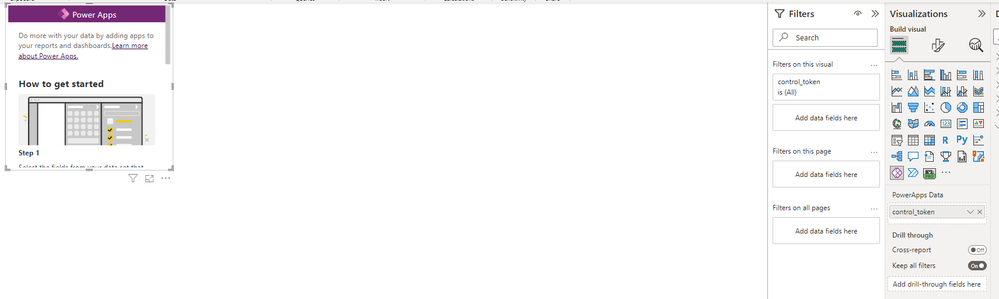
PowerApps Visual Stuck on "How to get started"

Hello! 


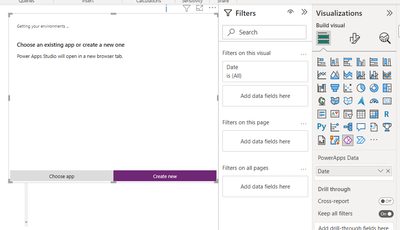
I am using the PowerApps visual in PowerBI and in the past, when I add a field to the PowerApps Data, the PowerApps visual will reload to give me the option to Create New or Choose App. Now, when I add a field, nothing happens. The visual just stays on the "How to get started" page.


I've rebooted my machine. I've uninstalled and reinstalled PowerBI. Not sure what to do now. Has anyone encountered this before? Any solutions? 


Thanks!


powerapp.png

2 REPLIES 2
057Sophie
Helper II
Helper II

I am not sure it will help, I have existing canvas, with fields, that stopped working this morning, without any changes.

See: https://community.powerbi.com/t5/Desktop/PowerApps-Visual-Issue/m-p/3086092/highlight/true
https://community.powerbi.com/t5/Issues/Power-APP-visual-doesn-t-work-properly-in-power-bi-desktop/i...


amitchandak
Super User
Super User

@Anonymous , Add a column, after that you will get option


amitchandak_0-1676694487995.png


Share with Power BI Enthusiasts: Full Power BI Video (20 Hours) YouTube
Microsoft Fabric Series 60+ Videos YouTube
Microsoft Fabric Hindi End to End YouTube

Helpful resources

Announcements
Power BI DataViz World Championships

Power BI Dataviz World Championships

The Power BI Data Visualization World Championships is back! It's time to submit your entry.

December 2025 Power BI Update Carousel

Power BI Monthly Update - December 2025

Check out the December 2025 Power BI Holiday Recap!

FabCon Atlanta 2026 carousel

FabCon Atlanta 2026

Join us at FabCon Atlanta, March 16-20, for the ultimate Fabric, Power BI, AI and SQL community-led event. Save $200 with code FABCOMM.