Forum Discussion
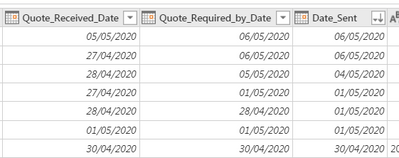
Power Query in Bi Service Does not Show Recent Data
Hi HabibAdil ,
Which data source be used in this dataflow? And could you please if the related underlying data source did exist these recent data?
Best Regards
Rena
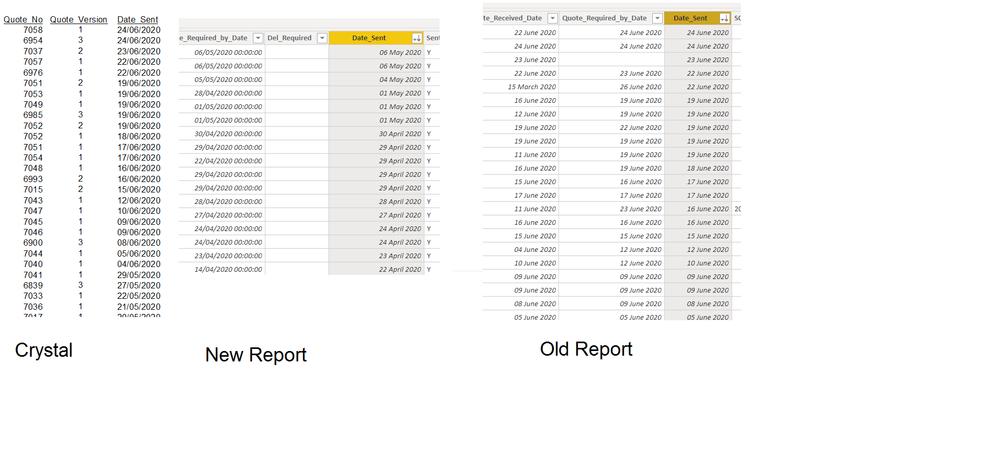
Thank you for your response. The data exists in the data source. Please see below a screen shot of the data which is extracted from from the ERP/data source using Crystal report. It is only the Quotes table that is missing the values. The values are only missing if I create a data flow or link directly to Quotes table from power bi desktop (New report below). I have an older report that reads exactly the same table, but no values are missing (Old Report below).
- HabibAdil6 years ago
Helper IV
Update: Another colleague tried to connect to the data source through ODBC and he can see the recent data (Date_Sent). I restarted my computer and now I can connect to the data source through ODBC and see the recent data, however the dataflow still does not pick up the recent data (refreshed manually).
- Anonymous6 years agoNot applicable
Hi HabibAdil ,
Thanks for providing these information. Could you please try to create a new dataflow with the same data source and same operations then check if it can get the most recent data?
Best Regards
Rena
- HabibAdil6 years ago
Helper IV
Hi, I have already done that, it works. I wanted to know why this happened, it may lead to issues if this happens to data that is not so obvious to spot. Thanks