
cancel
Showing results for 
Search instead for 
Did you mean: 

The Power BI Data Visualization World Championships is back! Get ahead of the game and start preparing now! Learn more

Reply
bonano
New Member

Power BI Maps not work

Dear

I have downoaded the lastest POWER BI version today and try to make a map. But nothing appear

Longitude and latitude are well formated and i have a good internet connection. May someone help me please?

Nothing appear when i load latitude and longitude data!!!

1 ACCEPTED SOLUTION

Check that below settings are in place to visualize your data on the map. There is no additional softwares required.


1. You can check the data type is set as Latitude and Longitude and the defaut summerization is " Do not Summerize"

Go to the Modelling tab and choose this two settings for latitude and longitude column. See the screenshot.check1.PNGcheck.PNG

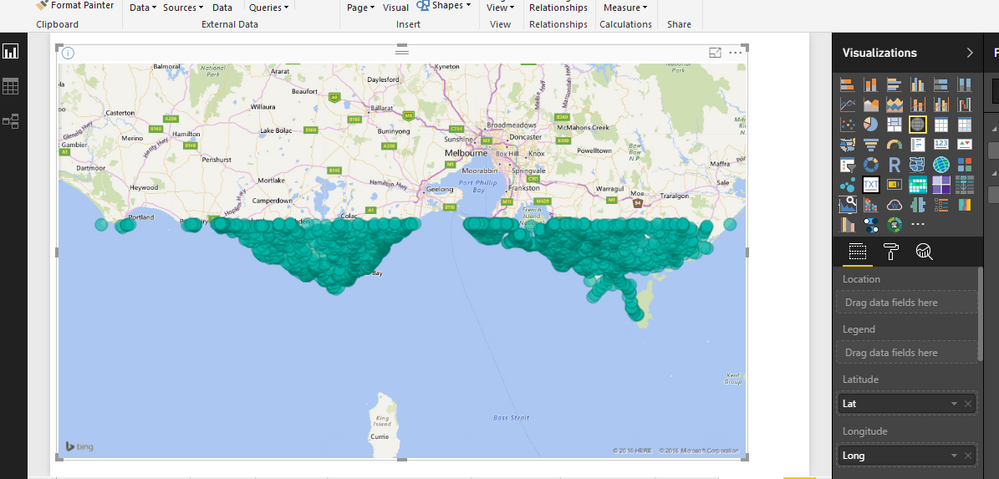
You can see that this is my tested report and it is perfectly working fine.


Thanks & Regards,
Bhavesh

Love the Self Service BI.
Please use the 'Mark as answer' link to mark a post that answers your question. If you find a reply helpful, please remember to give Kudos.

View solution in original post

3 REPLIES 3
BhaveshPatel
Community Champion
Community Champion

Ther should be some data flaw or you are not putting the fields in appropriate field well in the map visualization.

Thanks & Regards,
Bhavesh

Love the Self Service BI.
Please use the 'Mark as answer' link to mark a post that answers your question. If you find a reply helpful, please remember to give Kudos.

Data are well uploaded and put where they have to be. Did i need another software to make it appear plus power BI?

Check that below settings are in place to visualize your data on the map. There is no additional softwares required.


1. You can check the data type is set as Latitude and Longitude and the defaut summerization is " Do not Summerize"

Go to the Modelling tab and choose this two settings for latitude and longitude column. See the screenshot.check1.PNGcheck.PNG

You can see that this is my tested report and it is perfectly working fine.


Thanks & Regards,
Bhavesh

Love the Self Service BI.
Please use the 'Mark as answer' link to mark a post that answers your question. If you find a reply helpful, please remember to give Kudos.

Helpful resources

Announcements
November Power BI Update Carousel

Power BI Monthly Update - November 2025

Check out the November 2025 Power BI update to learn about new features.

Fabric Data Days Carousel

Fabric Data Days

Advance your Data & AI career with 50 days of live learning, contests, hands-on challenges, study groups & certifications and more!

FabCon Atlanta 2026 carousel

FabCon Atlanta 2026

Join us at FabCon Atlanta, March 16-20, for the ultimate Fabric, Power BI, AI and SQL community-led event. Save $200 with code FABCOMM.

Top Solution Authors
Top Kudoed Authors