Hello everybody,
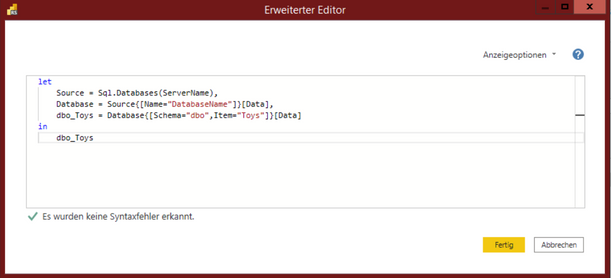
I have received a local Power BI Report from my client. The work on the report is completed.
The last task which needs to be accomplished is to set the data source settings by using parameters.
Therefore, I created two parameters:
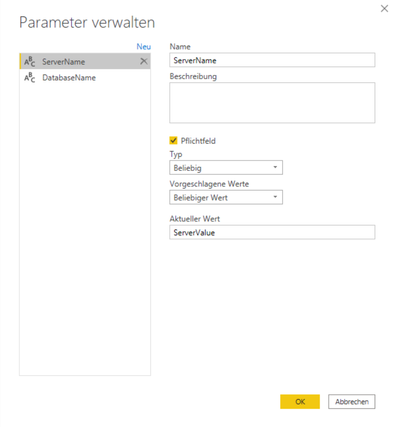
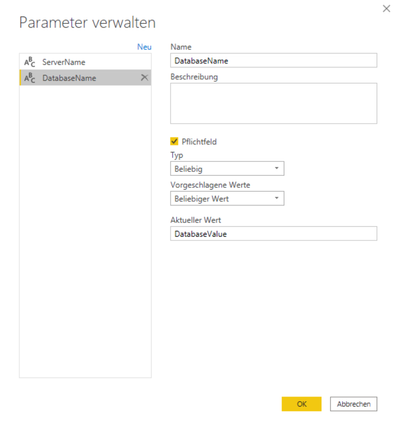
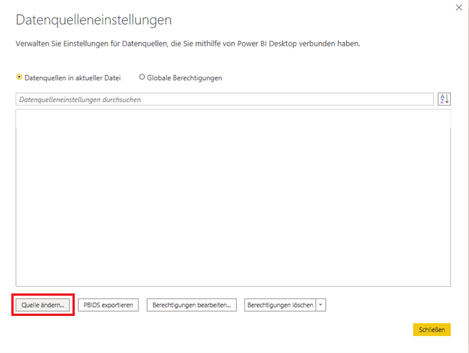
Then, I went into the data source settings in order to use these two parameters.
I choose "Change Source":
I am using the parameters for the data source:

And this is the result:

As you can see, Power BI Desktop is using the name of the parameter instead of its value (DatabseValue).
I went back to the data source settings and set the parameter "ServerName" in both fields.
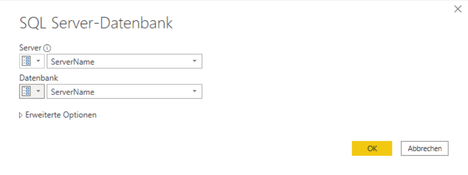
This is the result:
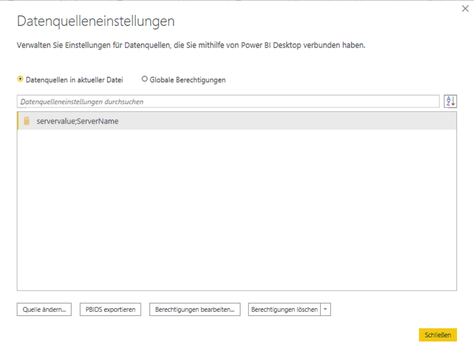
Again, the value for the server is correct but the value of the database could not be resolved.
Instead, the name of the used parameter shows up instead of its value.
I noticed that this behaviour does not appear in new/unedited Power BI Desktop files, but in Power BI Desktop files that have already set up a (working) data source connection.
How can I set these parameters even under these circumstances with Power BI Desktop?
Can someone confirm this behaviour of Power BI Desktop?
My client is using the RS version of Power BI Desktop (May 2021).
I appreciate any help to solve this issue.
@v-yingjl
@v-shex-msft
With best regards
SettlerOfCatan