Forum Discussion

Last Refresh Date - Alternative Solution
 8 years ago
Hi Anonymous,
I've found this to be useful when I'm designing reports for worldwide customers. Rather than dealing with general timezones and DST/etc., just pull data related to the location itself.
Query:
let
Source = Web.Page(Web.Contents("http://localtimes.info/Asia/Saudi_Arabia/Riyadh/")),
Data1 = Source{1}[Data],
#"Changed Type" = Table.TransformColumnTypes(Data1,{{"Column1", type text}, {"Column2", type text}}),
date = #"Changed Type"{1}[Column2],
time=#"Changed Type"{0}[Column2],
datetime=DateTime.FromText(date&" "&time)
in
datetime
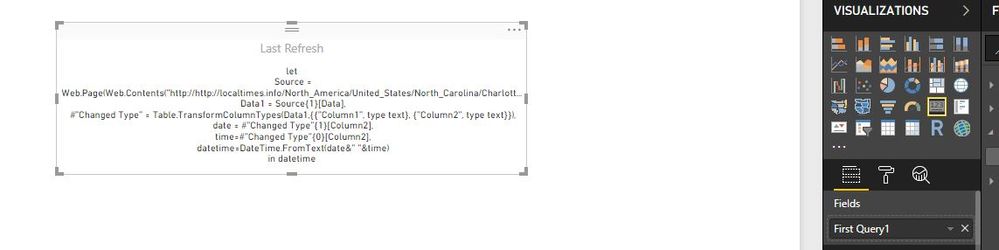
Output example:
Hi,
I follow your given all steps but card not show as date/time format.
1. Select Edit Queries
2. New Source
3. Blank Query
4. Advanced Editor
5. Cut/Paste Query as written in the note
And then the card just displays the query? please tell me how to resolve