Forum Discussion

Last Refresh Date - Alternative Solution
 8 years ago
Hi Anonymous,
I've found this to be useful when I'm designing reports for worldwide customers. Rather than dealing with general timezones and DST/etc., just pull data related to the location itself.
Query:
let
Source = Web.Page(Web.Contents("http://localtimes.info/Asia/Saudi_Arabia/Riyadh/")),
Data1 = Source{1}[Data],
#"Changed Type" = Table.TransformColumnTypes(Data1,{{"Column1", type text}, {"Column2", type text}}),
date = #"Changed Type"{1}[Column2],
time=#"Changed Type"{0}[Column2],
datetime=DateTime.FromText(date&" "&time)
in
datetime
Output example:
Hi Anonymous,
I've found this to be useful when I'm designing reports for worldwide customers. Rather than dealing with general timezones and DST/etc., just pull data related to the location itself.
Query:
let
Source = Web.Page(Web.Contents("http://localtimes.info/Asia/Saudi_Arabia/Riyadh/")),
Data1 = Source{1}[Data],
#"Changed Type" = Table.TransformColumnTypes(Data1,{{"Column1", type text}, {"Column2", type text}}),
date = #"Changed Type"{1}[Column2],
time=#"Changed Type"{0}[Column2],
datetime=DateTime.FromText(date&" "&time)
in
datetime
Output example:
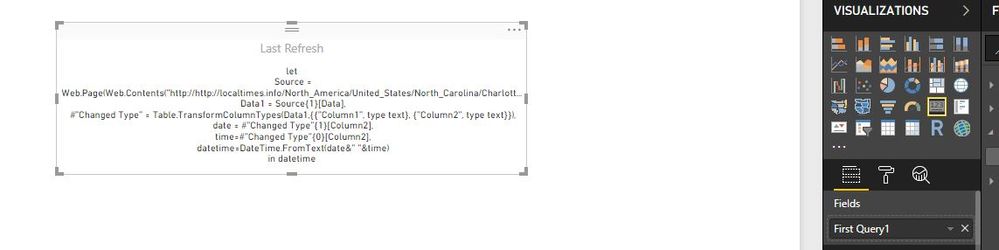
Tell me what I am doing wrong.
1. Select Edit Queries
2. New Source
3. Blank Query
4. Advanced Editor
5. Cut/Paste Query as written in the note
And then the card just displays the query?
- RMDNA8 years agoSolution Sage
No, the card will display the data pulled from the code I gave you, which is the date/time info for whatever city is chosen. See below.
So the code I gave was for Riyadh, in Saudi Arabia, so you'll need to change the URL to whatever city is appropriate for you. After that, follow the steps you've listed and you should see the date/time as a new query in the Query Editor.
After that, if you close and apply the changes, the query will show up in your usual Field pane, and the value can be added to a card:
- Anonymous8 years agoNot applicable
- Anonymous7 years agoNot applicable
Hi,
I follow your given all steps but card not show as date/time format.
1. Select Edit Queries
2. New Source
3. Blank Query
4. Advanced Editor
5. Cut/Paste Query as written in the note
And then the card just displays the query? please tell me how to resolve