Join us at FabCon Atlanta from March 16 - 20, 2026, for the ultimate Fabric, Power BI, AI and SQL community-led event. Save $200 with code FABCOMM.
Register now!View all the Fabric Data Days sessions on demand. View schedule
Hello people,
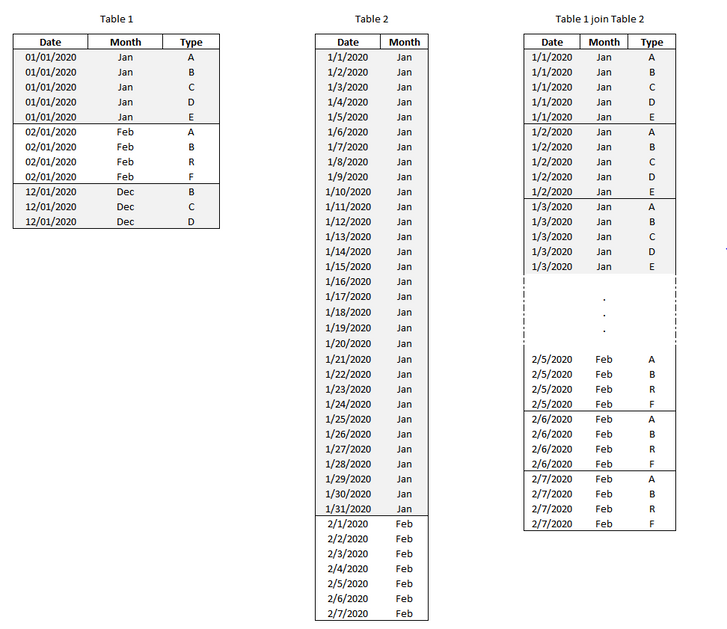
Is it possible to do this operation below by DAX?
I tried to do it for the CROSSJOIN function, but I didn't have much success.
Solved! Go to Solution.
Hi @Anonymous ,
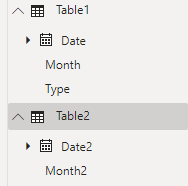
1.Rename the columns of Table2. Because when you use the CROSSJOIN function, the column names of the table argument must be different in all tables, otherwise an error will be returned.
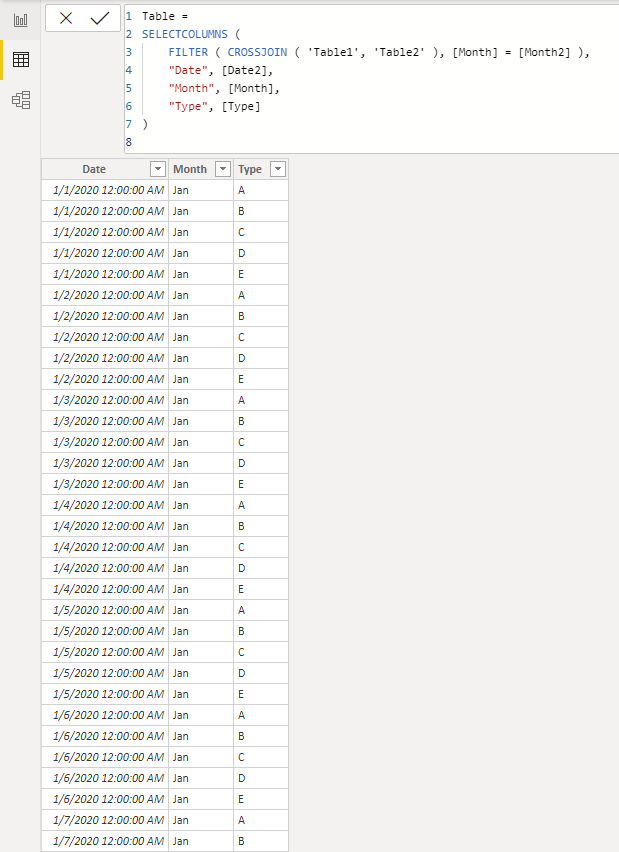
2.Create a new table with CROSSJOIN function and filter. This new table is the result.
Table =
SELECTCOLUMNS (
FILTER ( CROSSJOIN ( 'Table1', 'Table2' ), [Month] = [Month2] ),
"Date", [Date2],
"Month", [Month],
"Type", [Type]
)
You can check more details from here.
Best Regards,
Stephen Tao
If this post helps, then please consider Accept it as the solution to help the other members find it more quickly.
Hi @Anonymous ,
1.Rename the columns of Table2. Because when you use the CROSSJOIN function, the column names of the table argument must be different in all tables, otherwise an error will be returned.
2.Create a new table with CROSSJOIN function and filter. This new table is the result.
Table =
SELECTCOLUMNS (
FILTER ( CROSSJOIN ( 'Table1', 'Table2' ), [Month] = [Month2] ),
"Date", [Date2],
"Month", [Month],
"Type", [Type]
)
You can check more details from here.
Best Regards,
Stephen Tao
If this post helps, then please consider Accept it as the solution to help the other members find it more quickly.
@Anonymous , refer
https://www.sqlbi.com/articles/from-sql-to-dax-joining-tables/
Check out the November 2025 Power BI update to learn about new features.
Advance your Data & AI career with 50 days of live learning, contests, hands-on challenges, study groups & certifications and more!