
Join us at FabCon Atlanta from March 16 - 20, 2026, for the ultimate Fabric, Power BI, AI and SQL community-led event. Save $200 with code FABCOMM.
Register now!The Power BI Data Visualization World Championships is back! Get ahead of the game and start preparing now! Learn more
We have a report in Power BI that has a filter for Client ID. This ID is unique to each of our clients. Is it possible to leverage Power Automate to automically pull a single report for a single Client ID and export it into PowerPoint format?
yes. Try it out.
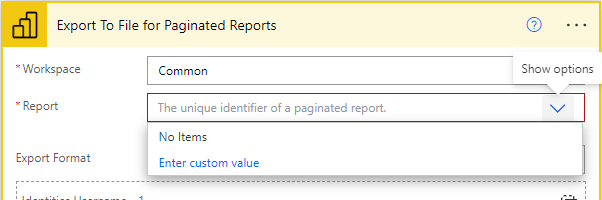
@lbendlin - I am only seeing the ability to do this with paginated reports. The one I specifically stumbled across is called "Export a Power BI paginated report for each row in an Excel Online table". However, when I go to set up a test, I can see all of our workspaces... I just don't see any reports listed under them. Is there a way to basically do this without the dependency of having to have paginated reports?
Works for me (apart from the well known performance issues)
No, regular reports.
The Power BI Data Visualization World Championships is back! Get ahead of the game and start preparing now!
| User | Count |
|---|---|
| 40 | |
| 38 | |
| 36 | |
| 29 | |
| 28 |
| User | Count |
|---|---|
| 127 | |
| 88 | |
| 78 | |
| 66 | |
| 65 |