Join us at FabCon Atlanta from March 16 - 20, 2026, for the ultimate Fabric, Power BI, AI and SQL community-led event. Save $200 with code FABCOMM.
Register now!Get Fabric Certified for FREE during Fabric Data Days. Don't miss your chance! Request now
Solved! Go to Solution.
HI @Anonymous,
Maybe you can try to use date function instead of time intelligence functions in your formula. They not required a calendar table and can be nested with other functions.
BTW, can you please share some dummy data to test?
How to Get Your Question Answered Quickly
Regards,
Xiaoxin Sheng
Hi @Anonymous,
You can consider adding a visual level filter on your cards to filter on specific data ranges or write switch functions in your dax expressions then it can return different results based on its row contents.
Add a filter to a report in Power BI
Regards,
Xiaoxin Sheng
Also, do you have a date table?
Proud to be a Super User!
These should help you
https://docs.microsoft.com/en-us/dax/previousmonth-function-dax
https://community.powerbi.com/t5/Community-Blog/To-bleep-With-Time-Intelligence/ba-p/1260000
Proud to be a Super User!
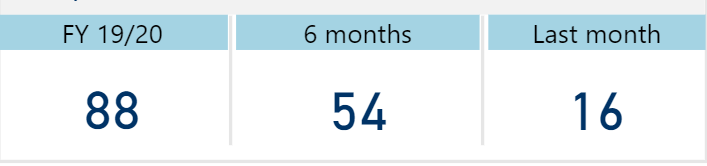
Thanks for the good information. I have a data table but my measure is this:
HI @Anonymous,
Maybe you can try to use date function instead of time intelligence functions in your formula. They not required a calendar table and can be nested with other functions.
BTW, can you please share some dummy data to test?
How to Get Your Question Answered Quickly
Regards,
Xiaoxin Sheng
Check out the November 2025 Power BI update to learn about new features.
Advance your Data & AI career with 50 days of live learning, contests, hands-on challenges, study groups & certifications and more!