Join us at FabCon Atlanta from March 16 - 20, 2026, for the ultimate Fabric, Power BI, AI and SQL community-led event. Save $200 with code FABCOMM.
Register now!View all the Fabric Data Days sessions on demand. View schedule
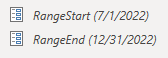
This is my first time trying the incremental refresh, I have setup the range start date and end date. But when I go to the data view incremental setting and click on the incremental refresh my "SET IMPORT AND REFRESH RANGES" option is still greyed out and I do have the right table applied on there. Am I missing anything else before this step? It does work for Pro licenses right? I did read it somewhere that it does.
Solved! Go to Solution.
@sraj , Have you added a filter to that table using these two parameters in power query
https://radacad.com/all-you-need-to-know-about-the-incremental-refresh-in-power-bi-load-changes-only
https://thinkaboutit.be/2020/02/how-do-i-implement-an-incremental-refresh-in-power-bi-free-or-pro/
Thank you!!
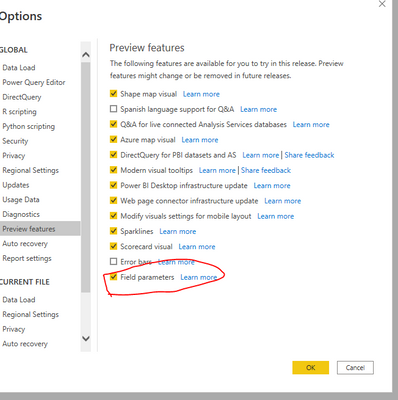
I noticed that in my powerbi version this option setting was not setup, once I added that the option was visible on my data view.
@sraj , Have you added a filter to that table using these two parameters in power query
https://radacad.com/all-you-need-to-know-about-the-incremental-refresh-in-power-bi-load-changes-only
https://thinkaboutit.be/2020/02/how-do-i-implement-an-incremental-refresh-in-power-bi-free-or-pro/
Thank you!!
I noticed that in my powerbi version this option setting was not setup, once I added that the option was visible on my data view.
Check out the November 2025 Power BI update to learn about new features.
Advance your Data & AI career with 50 days of live learning, contests, hands-on challenges, study groups & certifications and more!