Join us at FabCon Atlanta from March 16 - 20, 2026, for the ultimate Fabric, Power BI, AI and SQL community-led event. Save $200 with code FABCOMM.
Register now!The Power BI Data Visualization World Championships is back! Get ahead of the game and start preparing now! Learn more
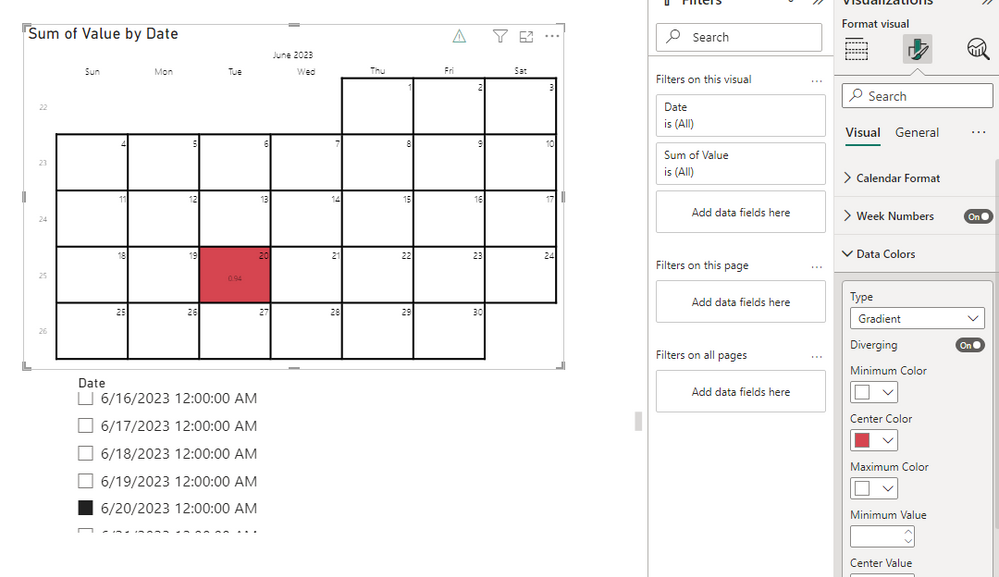
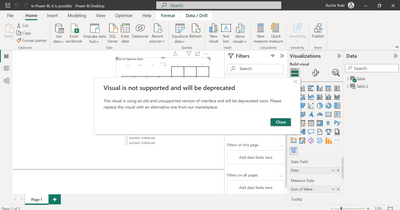
In Power BI, it is possible I have custom BCI Calendar (beyondsoft calendar) visual along with a date slicer. When you select a specific date, such as 20/06/2023, that date will be highlighted in the BCI Calendar visual.
Solved! Go to Solution.
Hi @Anonymous ,
You can click on the beyondsoft calendar visual – Format visual – Data Color.
Type – Gradient.
Open Diverging.
Center Color sets the color.
Later, with the selection of the slicer, you can have this value have a color to highlight.
Best Regards,
Liu Yang
If this post helps, then please consider Accept it as the solution to help the other members find it more quickly
Hi @Anonymous ,
You can click on the beyondsoft calendar visual – Format visual – Data Color.
Type – Gradient.
Open Diverging.
Center Color sets the color.
Later, with the selection of the slicer, you can have this value have a color to highlight.
Best Regards,
Liu Yang
If this post helps, then please consider Accept it as the solution to help the other members find it more quickly
The Power BI Data Visualization World Championships is back! Get ahead of the game and start preparing now!
Check out the November 2025 Power BI update to learn about new features.
| User | Count |
|---|---|
| 59 | |
| 43 | |
| 42 | |
| 23 | |
| 17 |
| User | Count |
|---|---|
| 190 | |
| 122 | |
| 96 | |
| 66 | |
| 47 |