FabCon is coming to Atlanta
Join us at FabCon Atlanta from March 16 - 20, 2026, for the ultimate Fabric, Power BI, AI and SQL community-led event. Save $200 with code FABCOMM.
Register now!- Power BI forums
- Get Help with Power BI
- Desktop
- Service
- Report Server
- Power Query
- Mobile Apps
- Developer
- DAX Commands and Tips
- Custom Visuals Development Discussion
- Health and Life Sciences
- Power BI Spanish forums
- Translated Spanish Desktop
- Training and Consulting
- Instructor Led Training
- Dashboard in a Day for Women, by Women
- Galleries
- Data Stories Gallery
- Themes Gallery
- Contests Gallery
- QuickViz Gallery
- Quick Measures Gallery
- Visual Calculations Gallery
- Notebook Gallery
- Translytical Task Flow Gallery
- TMDL Gallery
- R Script Showcase
- Webinars and Video Gallery
- Ideas
- Custom Visuals Ideas (read-only)
- Issues
- Issues
- Events
- Upcoming Events
The Power BI Data Visualization World Championships is back! Get ahead of the game and start preparing now! Learn more
- Power BI forums
- Forums
- Get Help with Power BI
- Desktop
- Image URL in a report - Do not appear
- Subscribe to RSS Feed
- Mark Topic as New
- Mark Topic as Read
- Float this Topic for Current User
- Bookmark
- Subscribe
- Printer Friendly Page


- Mark as New
- Bookmark
- Subscribe
- Mute
- Subscribe to RSS Feed
- Permalink
- Report Inappropriate Content
Image URL in a report - Do not appear
Hi,
I am trying to include images in a table.I have the following Excel Sheet that I linked to my data table:
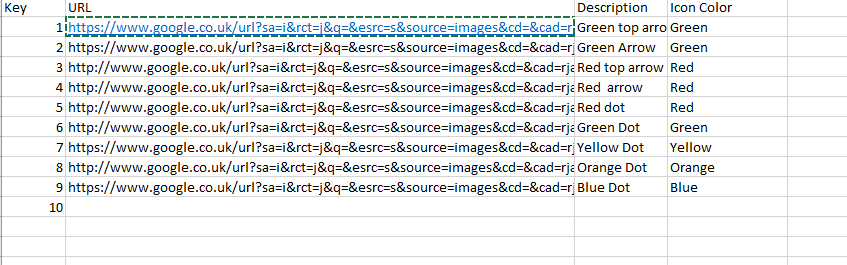
I changed the data type to Image URL. But here is what I get :
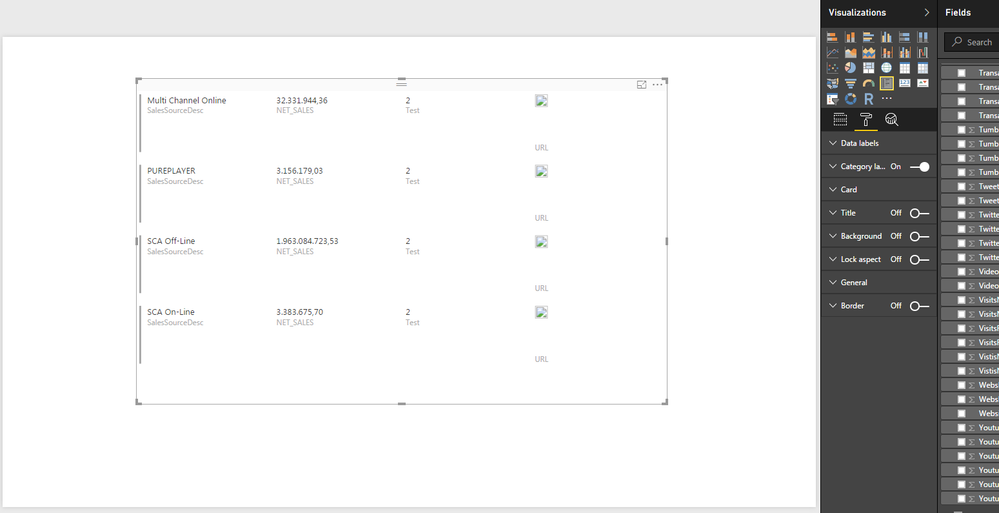
The images appear as "stickers" and we cannot see the real image...
Does someone have a clue?
Solved! Go to Solution.

- Mark as New
- Bookmark
- Subscribe
- Mute
- Subscribe to RSS Feed
- Permalink
- Report Inappropriate Content
As I suspected. You need to follow the links all the way until you get to the actual image file itself. Otherwise the URL is just a webpage that contains an image somewhere in its code. So for the up arrow for instance you would use...
https://upload.wikimedia.org/wikipedia/commons/5/50/Green_Arrow_Up.svg
Did I answer your question? Mark my post as a solution!
Proud to be a Super User!
- Mark as New
- Bookmark
- Subscribe
- Mute
- Subscribe to RSS Feed
- Permalink
- Report Inappropriate Content
I'm suspicious that these are not direct image file urls, but rather google images viewer urls. Can you post the full urls of a few of them?
Did I answer your question? Mark my post as a solution!
Proud to be a Super User!
- Mark as New
- Bookmark
- Subscribe
- Mute
- Subscribe to RSS Feed
- Permalink
- Report Inappropriate Content
- Mark as New
- Bookmark
- Subscribe
- Mute
- Subscribe to RSS Feed
- Permalink
- Report Inappropriate Content
As I suspected. You need to follow the links all the way until you get to the actual image file itself. Otherwise the URL is just a webpage that contains an image somewhere in its code. So for the up arrow for instance you would use...
https://upload.wikimedia.org/wikipedia/commons/5/50/Green_Arrow_Up.svg
Did I answer your question? Mark my post as a solution!
Proud to be a Super User!
- Mark as New
- Bookmark
- Subscribe
- Mute
- Subscribe to RSS Feed
- Permalink
- Report Inappropriate Content
- Mark as New
- Bookmark
- Subscribe
- Mute
- Subscribe to RSS Feed
- Permalink
- Report Inappropriate Content
Wiki images are a pain too because even if you get out of Google Images and back to the source, their viewer page urls look like image file urls even though they really aren't.
Did I answer your question? Mark my post as a solution!
Proud to be a Super User!
- Mark as New
- Bookmark
- Subscribe
- Mute
- Subscribe to RSS Feed
- Permalink
- Report Inappropriate Content
Hi,
I have the following excel sheet with the URL of the image I want to include in my report:
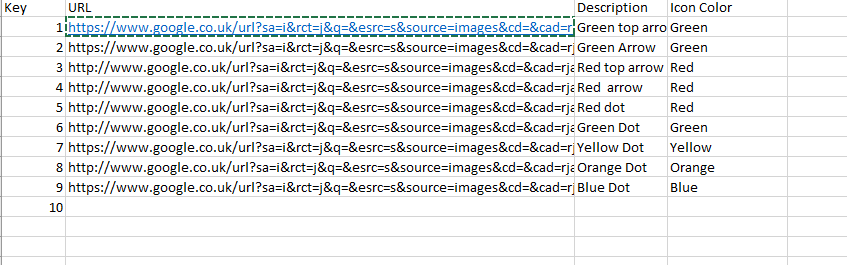
I linked it to my data table and changed the type to Image URL. But I get the following:
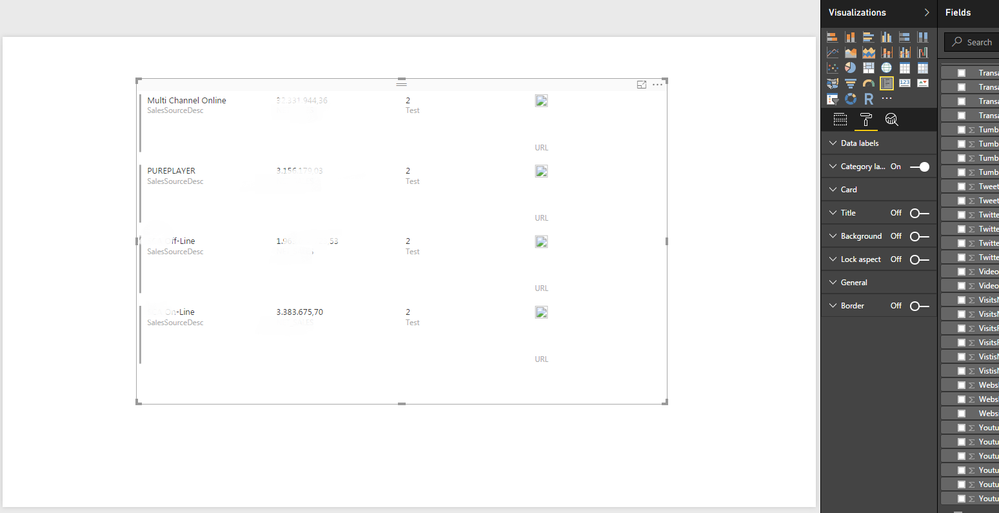
The images appear as "Stickers" and we cannot see them. Does anyone have a clue?
Thanks!


- Mark as New
- Bookmark
- Subscribe
- Mute
- Subscribe to RSS Feed
- Permalink
- Report Inappropriate Content
Hi @sophie63
Can you please post the data in text format to help us test. It's cut off in the image that you posted so hard to reproduce.
- Mark as New
- Bookmark
- Subscribe
- Mute
- Subscribe to RSS Feed
- Permalink
- Report Inappropriate Content
@Phil_Seamarkduplicate thread, already solved here http://community.powerbi.com/t5/Desktop/Image-URL-in-a-report-Do-not-appear/m-p/147821#M63782
Did I answer your question? Mark my post as a solution!
Proud to be a Super User!

Helpful resources

Power BI Dataviz World Championships
The Power BI Data Visualization World Championships is back! Get ahead of the game and start preparing now!

Power BI Monthly Update - December 2025
Check out the December 2025 Power BI Holiday Recap!

FabCon Atlanta 2026
Join us at FabCon Atlanta, March 16-20, for the ultimate Fabric, Power BI, AI and SQL community-led event. Save $200 with code FABCOMM.

| User | Count |
|---|---|
| 59 | |
| 46 | |
| 39 | |
| 38 | |
| 21 |


| User | Count |
|---|---|
| 176 | |
| 131 | |
| 118 | |
| 82 | |
| 54 |


