cancel
Showing results for 
Search instead for 
Did you mean: 

The Power BI Data Visualization World Championships is back! Get ahead of the game and start preparing now! Learn more

Reply
Glibberg
Regular Visitor

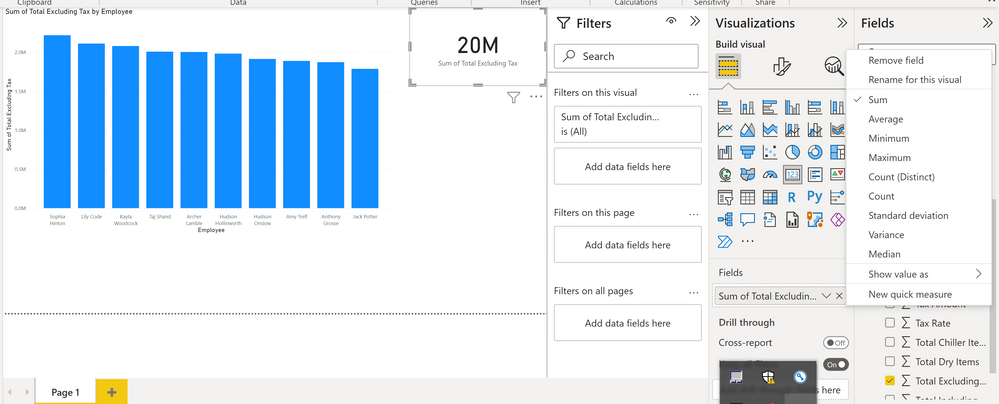
I dont understand why I always get sum for a column and usually I just want value.

Hi guys!

I am watching a tutorial and a lady shows how to do a simple bar chart. 

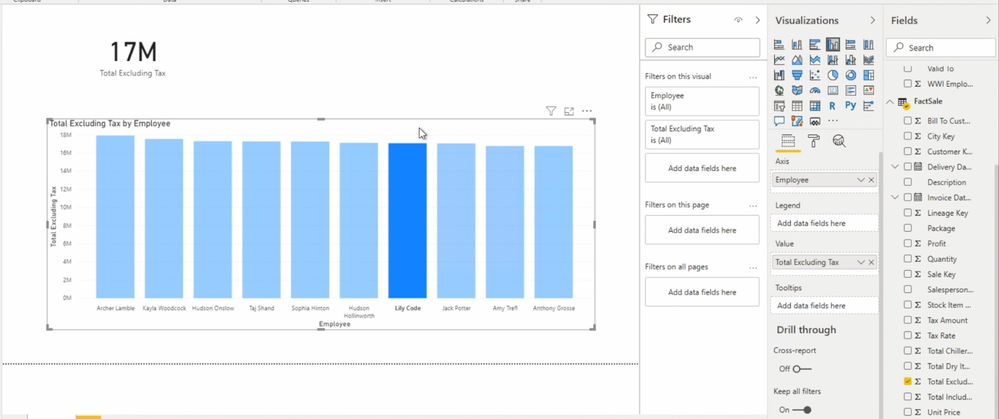
On her screen she has just columns. 

I do the same and on my laptop I have only SUM option for a column and I cannot get rid of it.

May be I dont understand something. How to get rid of this sum and have just values by default?

Plz help. 

2 screenshots are attached. 

Screenshot_1.pngScreenshot_2.png

1 ACCEPTED SOLUTION
hnguy71
Super User
Super User

Hi @Glibberg ,


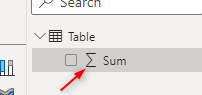
By default, any aggregated column will return the total value when placed within a visual. To override that, you may adjust the data type from a numeric value to any other value. You can tell that the value with auto-summarize by the icon next to the field:

hnguy71_0-1666654539481.png


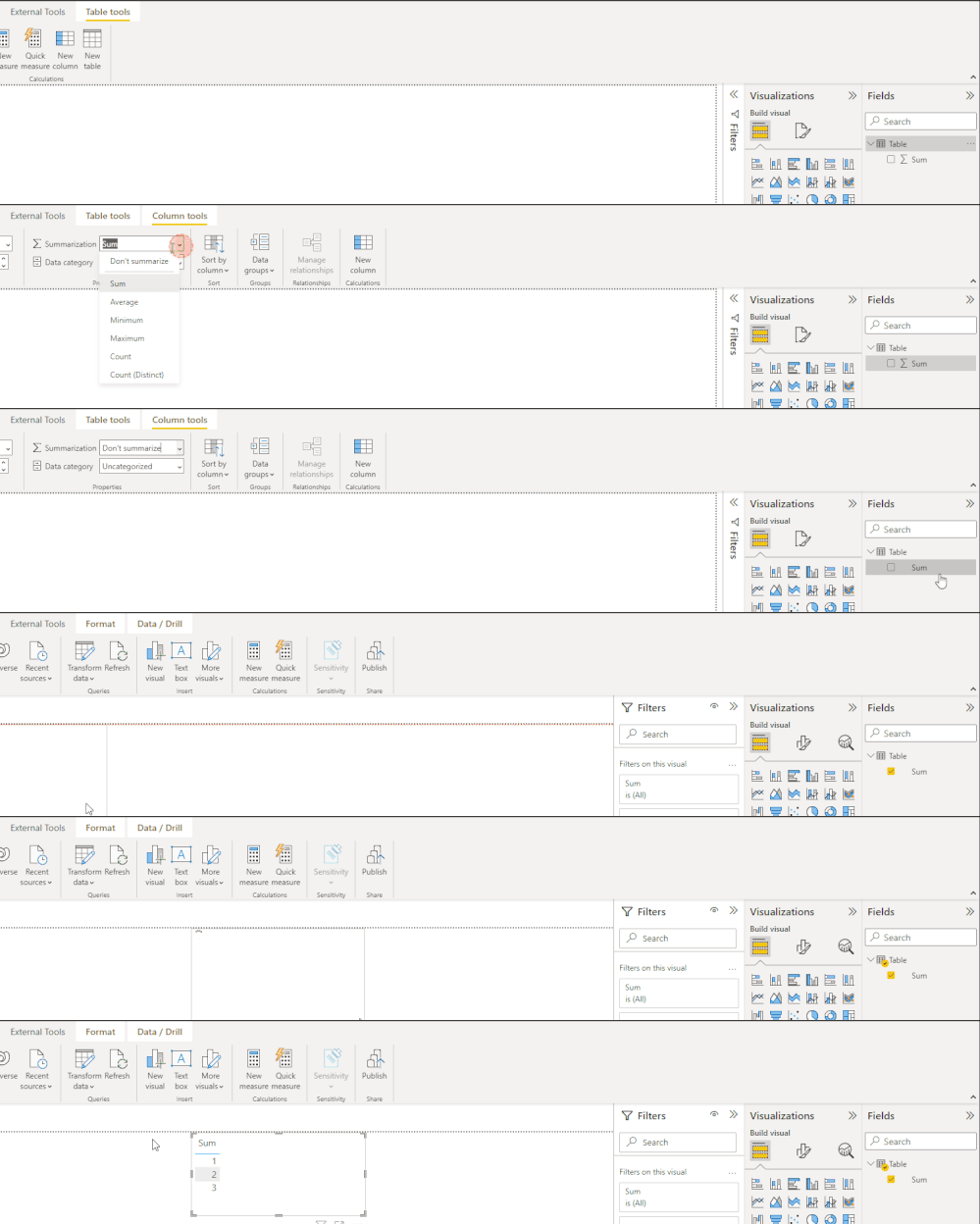
Alternatively, you can select the field, then "Don't Summarize" under the column tools:

2022-10-24_18h36_26.gif


Hope that helps! 


Did I answer your question?
Please help by clicking the thumbs up button and mark my post as a solution!

View solution in original post

1 REPLY 1
hnguy71
Super User
Super User

Hi @Glibberg ,


By default, any aggregated column will return the total value when placed within a visual. To override that, you may adjust the data type from a numeric value to any other value. You can tell that the value with auto-summarize by the icon next to the field:

hnguy71_0-1666654539481.png


Alternatively, you can select the field, then "Don't Summarize" under the column tools:

2022-10-24_18h36_26.gif


Hope that helps! 


Did I answer your question?
Please help by clicking the thumbs up button and mark my post as a solution!

Helpful resources

Announcements
November Power BI Update Carousel

Power BI Monthly Update - November 2025

Check out the November 2025 Power BI update to learn about new features.

Fabric Data Days Carousel

Fabric Data Days

Advance your Data & AI career with 50 days of live learning, contests, hands-on challenges, study groups & certifications and more!

FabCon Atlanta 2026 carousel

FabCon Atlanta 2026

Join us at FabCon Atlanta, March 16-20, for the ultimate Fabric, Power BI, AI and SQL community-led event. Save $200 with code FABCOMM.

Top Solution Authors
Top Kudoed Authors