Don't miss your chance to take the Fabric Data Engineer (DP-700) exam on us!
Learn moreThe FabCon + SQLCon recap series starts April 14th at 8am Pacific. If you’re tracking where AI is going inside Fabric, this first session is a can't miss. Register now
Hello Everyone,
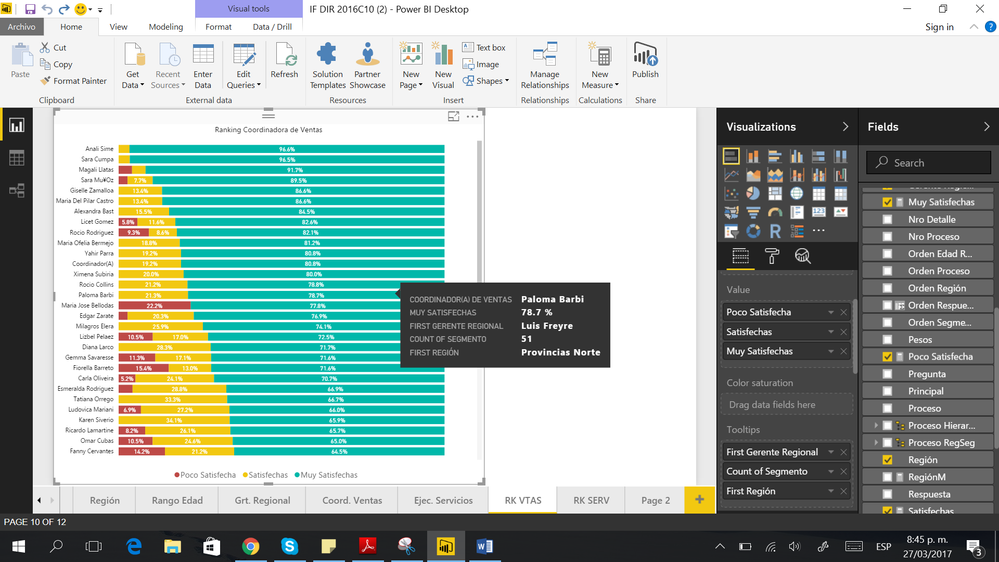
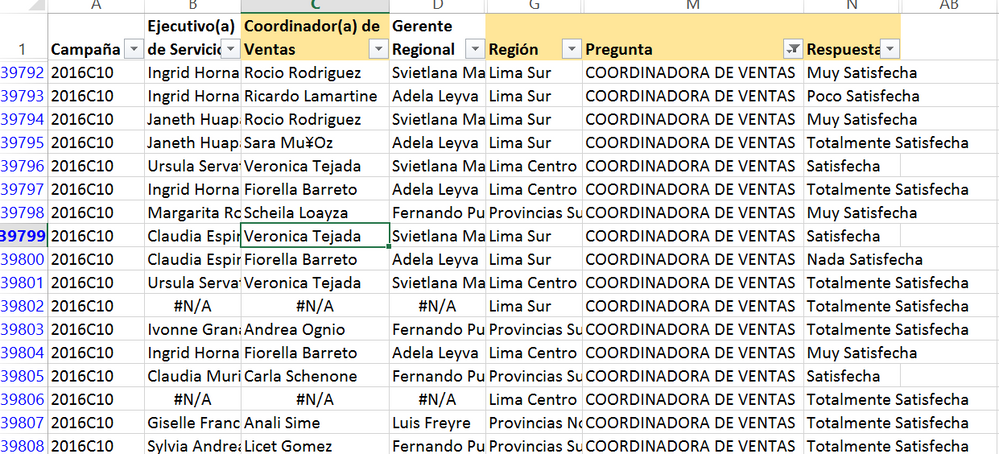
I have data about the results of a survey in which each row represent someone answer about the satisfaction with people from the staff. I did a ranking of the staff starting with the ones with the highest porcent of satisfaction. However when i try to add tooltips to specify the region where each member of the staff come from and who is their boss the word "First" appear next to Region. I try using the measure Values for Region as they suggest in a previous post about it but it didnt work. I hope someone could help me.
Thanks you!
Karla
Solved! Go to Solution.
The tooltip can only show only one value associated to the entry you hover. If you have multiple values associated to entry, you have to define aggregation on that field. For text field, it's set "First" by default.
So if you don't want to use "First", you can set other aggregation type like "Last", "Count Of". Other you have to compress multiple records into one row.
Regards,
In case anyone else is having this issue, if the field is displaying the values correctly in the tool tips label in your report, to remove 'first' (or 'last' or whatever) you simply have to choose 'Rename' by clicking on the field in Tool Tips. So here, in the text box that appears, you just need to change the name from 'First Region' to 'Region'.
Thanks you. Just the fix I was looking for.
The tooltip can only show only one value associated to the entry you hover. If you have multiple values associated to entry, you have to define aggregation on that field. For text field, it's set "First" by default.
So if you don't want to use "First", you can set other aggregation type like "Last", "Count Of". Other you have to compress multiple records into one row.
Regards,
If you see "first" it is because there is a table of values that is being displayed in a field where only one value can be displayed. Eg
if you have a table containing
Apples
Oranges
bananas
and you want that column in a visual, how can it display the 3 values? It either has to display 3 or one of the values (the default is the first one)
depending on ehqt you want, you could write a measure like this
all regions = concatonatex(values(table[region]),table[region],", ")
If you have recently started exploring Fabric, we'd love to hear how it's going. Your feedback can help with product improvements.
A new Power BI DataViz World Championship is coming this June! Don't miss out on submitting your entry.
Share feedback directly with Fabric product managers, participate in targeted research studies and influence the Fabric roadmap.
| User | Count |
|---|---|
| 52 | |
| 44 | |
| 44 | |
| 20 | |
| 19 |
| User | Count |
|---|---|
| 71 | |
| 70 | |
| 34 | |
| 33 | |
| 31 |