cancel
Showing results for 
Search instead for 
Did you mean: 

The Power BI Data Visualization World Championships is back! Get ahead of the game and start preparing now! Learn more

Reply
C_Dub
Frequent Visitor

How to show all 12 months when using DATE>VALUE

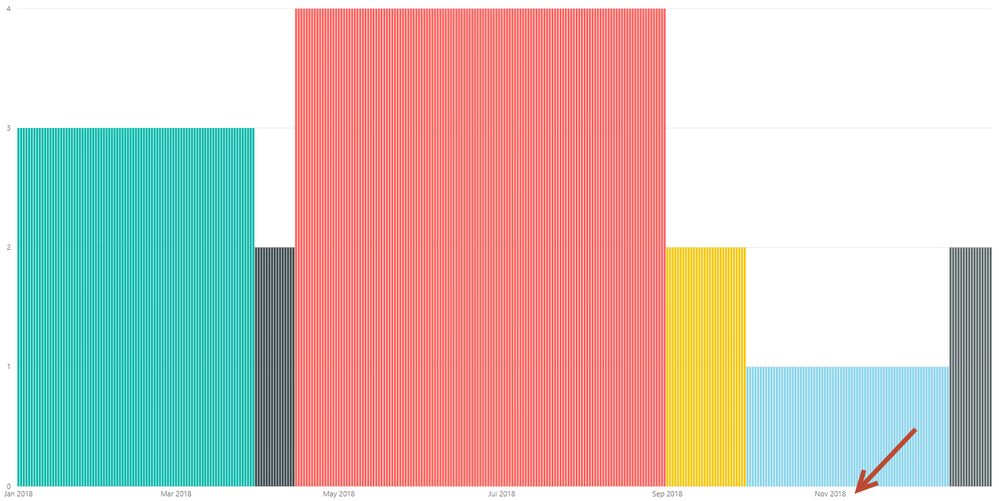
I am looking for a way to show all 12 month labels on the X-axis of a simple chart (in this case a vertical bar graph) when using the DATE VALUE, as opposed to the date hierarchy. When the chart is created at default size, the labels are Jan / Apr / Jul / Oct. When I expand the size to fill up the frame, I get more labels, but only every other month. I would like labels for all 12 months (which works fine using the date hierarchy, but I cannot use hierarchy for other reasons in this visualization). 


As you can see here, only 6 months of labels appear. Need all 12. Thanks in advance!


11-19-2018 3-07-51 PM.png 

4 REPLIES 4
TomMartens
Super User
Super User

Hey, 


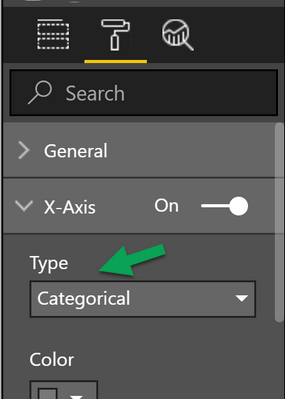
please check the setting for the "type" property of the x-axis, and switch to categorical.

image.png


Hopefully this will already solve the issue.


Regards,

Tom


Did I answer your question? Mark my post as a solution, this will help others!

Proud to be a Super User!
I accept Kudos 😉
Hamburg, Germany

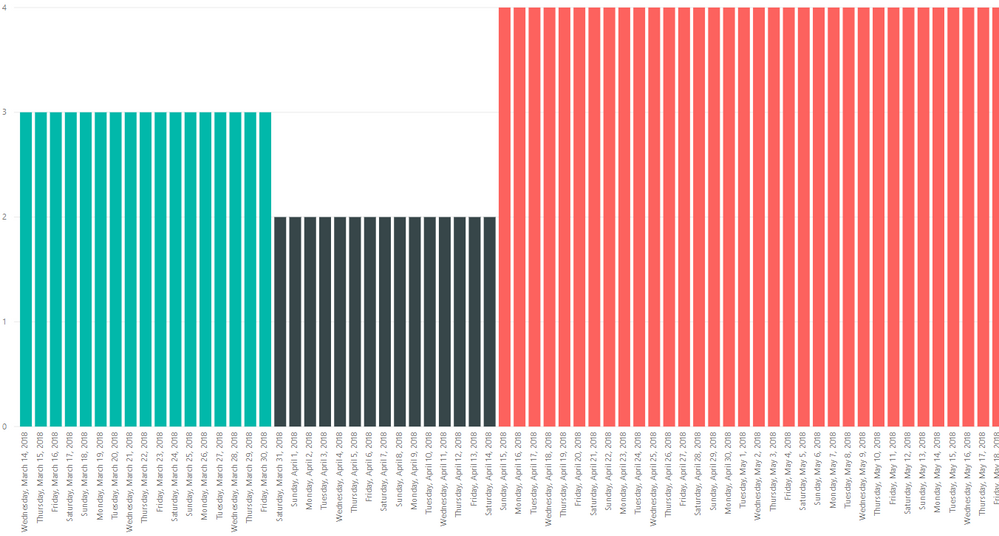
Thanks for the response. This solution ends up breaking it down into separate days, making the visualization far too wide. I just need it labeled with the month the way that it was under 'continuous', but with labels for all of the months, not broken down into individual days...


This is what I am seeing now:

 11-20-2018 6-18-12 AM.png

@C_Dub,


You may try using STARTOFMONTH Function to add a calculated column.

Community Support Team _ Sam Zha
If this post helps, then please consider Accept it as the solution to help the other members find it more quickly.

Hey,

I'm not sure but maybe this article provides some ideas:
https://www.sqlbi.com/articles/improving-temporal-line-charts-in-power-bi-with-dax/

Regards,
Tom


Did I answer your question? Mark my post as a solution, this will help others!

Proud to be a Super User!
I accept Kudos 😉
Hamburg, Germany

Helpful resources

Announcements
November Power BI Update Carousel

Power BI Monthly Update - November 2025

Check out the November 2025 Power BI update to learn about new features.

Fabric Data Days Carousel

Fabric Data Days

Advance your Data & AI career with 50 days of live learning, contests, hands-on challenges, study groups & certifications and more!

FabCon Atlanta 2026 carousel

FabCon Atlanta 2026

Join us at FabCon Atlanta, March 16-20, for the ultimate Fabric, Power BI, AI and SQL community-led event. Save $200 with code FABCOMM.

Top Solution Authors
Top Kudoed Authors