Forum Discussion

 Advocate II
How to map latitude longitude
 Anonymous11 years ago
sjkp,
This one is a little counter intuitive. The only map tool that can take straight lat/long is Power Map in Excel, but there currently isn't any integration with the rest of the BI stack yet for that.
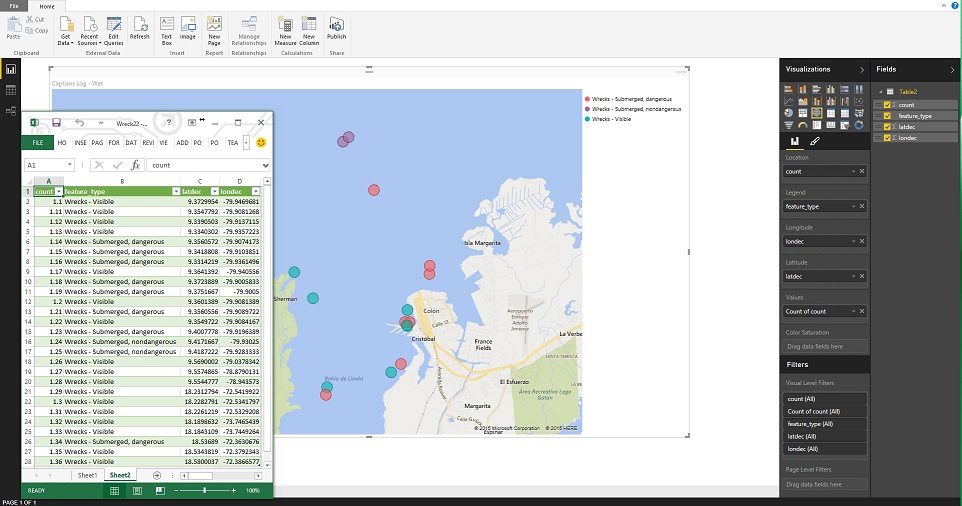
The way you do this in Power View - maps, or the PBI Desktop is put you lat and long in the appropriate Fields, then whatever it is you are examining in that location (count of wrecks, count of "x") that goes in the location and the value fields. Then your bubbles will show up in the middle of the ocean at the coordinates you specified in the lat/long.
If there aren't direct counts, I would assume you can just create a column to contain the value of 1 to make this work.
Here is a screenshot of the sample data I pulled in and the layout in PBI Desktop
sjkp,
This one is a little counter intuitive. The only map tool that can take straight lat/long is Power Map in Excel, but there currently isn't any integration with the rest of the BI stack yet for that.
The way you do this in Power View - maps, or the PBI Desktop is put you lat and long in the appropriate Fields, then whatever it is you are examining in that location (count of wrecks, count of "x") that goes in the location and the value fields. Then your bubbles will show up in the middle of the ocean at the coordinates you specified in the lat/long.
If there aren't direct counts, I would assume you can just create a column to contain the value of 1 to make this work.
Here is a screenshot of the sample data I pulled in and the layout in PBI Desktop
 sjkp11 years ago
Thanks Eno, I was looking for a solution that works in power bi deskop and preferably powerbi.com (online) or whatever the name for it is. I am aware that it works in power map, but that is not really the tool I want to suggest customers to use going forward.
I hope it's a bug or just a missing feature that it currently is so unintuitive to use. But I will try out your suggestion.
- sjkp11 years ago
Okay that is pretty **bleep**ed up. If I use a value of 1 for the location, then it will not work, the location value has to be unique. Because if it's not then it will sum all the lat/long together with the same location, which will obviously not give anything meaning full.
- Anonymous11 years agoNot applicable
sjkp,
Looked into this a little more, as I wanted to get this to work.
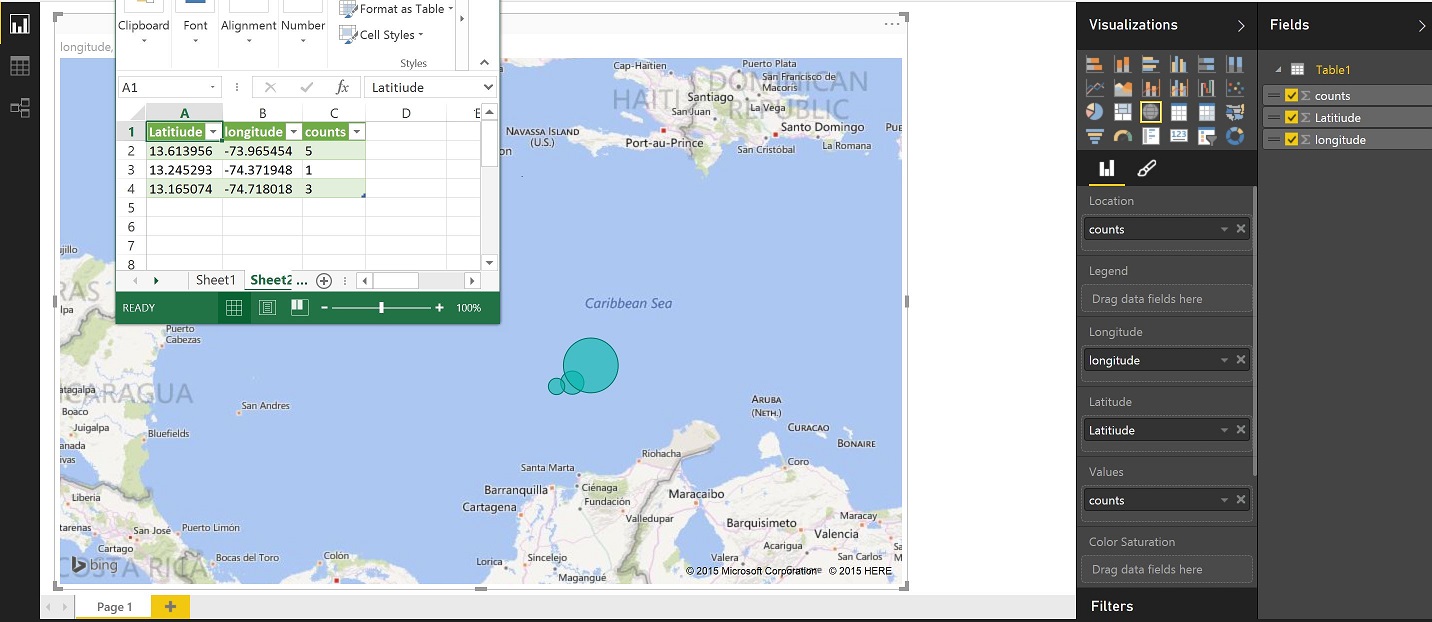
If you look at the below snapshot, I've created decimals as numbers to (in theory) reduce the bubble size so they all look the same. Then, when I set up the map, I selected the field "Count" in the value section and chose "Count(distinct)"
I'd throw in a "Boom goes the dynamite" here out of excitement if I thought this solved it completely, but I think it's just a hack that works. As a word of caution, I started messing around with calculated columns to try to randomly generate the decimals in PBI Desktop, and when I did so, the bubbles increased in size... Though, I definetely think it's an option in your original data set prior to pulling it in. In any case, give a whirl with your dataset and let me know if it works for you. (I also made sure that it published to the site correctly, and it did.)
(edit to ping sjkp)
- Greg_Deckler11 years ago
Community Champion
Thanks Eno, your picture helped resolve my problem, I didn't catch that my Latitude and Longitude came in as text instead of decimal in my data model so that's why it wasn't working like I expected/used to in Excel. For some reason, Excel Power Query ingesting from the same data file recognized my values as decimial to begin with but Power BI Desktop did not. Odd.
 John_B11 years agoNew Member
Thank you for the date type decimal and data category tip
- John_B11 years agoNew Member
I have found that the longitude and latitude are accepted by POWERBI once the Data type = Decimal and the Data Category = Longitude or Latitude BUT POWER BI doesn't actually do anything with it. I have had success dropping the name of the suburb into the Location, then sales into the Values section. PowerMap is way better, but I suppose that is why it's called PowerMap :)
 EmirSvemir4 years agoNew Member
hey guys,
thanks fo rall the replies, the thread helps a lot. BUT my powerbi is having problem with my Longitude and Latitude, it is changing it automatically to AVERAGE Longitude and latitude when I drag it to their fields.
any solution to this? what do I do wrong? I checked my data set and the fields are marked as decimal numbers but also some fields have written NULL ...could this be the problem?
Thanks a lot in advance! Cheers,
emir
- EmirSvemir4 years agoNew Member
i changed null to 0, the long and lat are ot anymore changed to average BUT I still have no results.