Don't miss your chance to take the Fabric Data Engineer (DP-700) exam on us!
Learn moreWe've captured the moments from FabCon & SQLCon that everyone is talking about, and we are bringing them to the community, live and on-demand. Starts on April 14th. Register now
Hello, I have a duplicated Timestamp column that is transformed to Week of Year. I use that column as a slicer. Because I need to make a custom URL I want to set up the Week column inside Power Bi to show only current week, previous week and next week. How can I do that?
Solved! Go to Solution.
Hi @g_georgiev444 ,
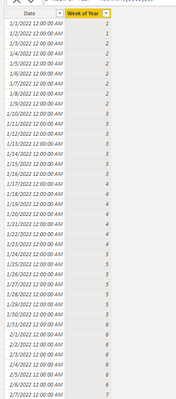
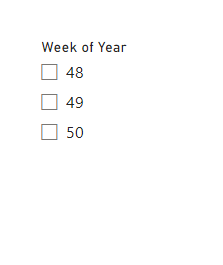
Based on your description, I have created a simple sample:
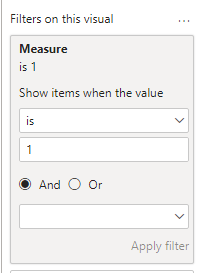
Then apply the measure to the slicer's filter:
Measure =
var _a = WEEKNUM(TODAY(),2)
return IF(MAX('Table'[Week of Year])>=_a-1&&MAX('Table'[Week of Year])<=_a+1,1,0)
Final output:
Best Regards,
Jianbo Li
If this post helps, then please consider Accept it as the solution to help the other members find it more quickly.
Hi @g_georgiev444 ,
Based on your description, I have created a simple sample:
Then apply the measure to the slicer's filter:
Measure =
var _a = WEEKNUM(TODAY(),2)
return IF(MAX('Table'[Week of Year])>=_a-1&&MAX('Table'[Week of Year])<=_a+1,1,0)
Final output:
Best Regards,
Jianbo Li
If this post helps, then please consider Accept it as the solution to help the other members find it more quickly.
Hello @v-jianboli-msft
EDIT:Bottom.
Thank you a lot for this!
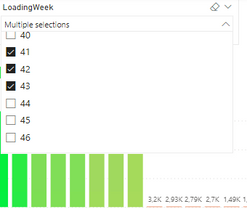
There is something which is confusing me quite a lot. I made it work with -2 instead of -1 which is really strange. If I let it as -1 then it does not show week 47 for some reason. Do you have an idea why this might be the case? I suppose it might be due to different start of week count, but for me it is week 48 now and I only saw 48 and 49, but with same settings you saw 48, 49 and 50.

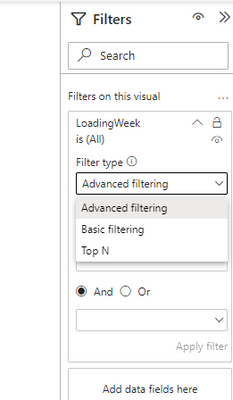
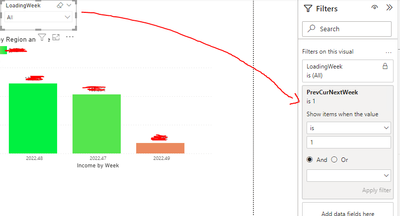
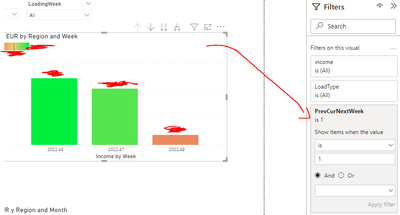
Also, once I added the Measure to the Slicer I had to add it to the visuals as well, or they would continue to show all data.
Slicer filter:
Visual filter:
EDIT: I had to reload everything and now I get a different result. I see week 50 as well. I guess this is because PowerBI counts the weeks with 1 forward from what we expect as a result. I will just adjust the + and - in the Measure.
If you have recently started exploring Fabric, we'd love to hear how it's going. Your feedback can help with product improvements.
A new Power BI DataViz World Championship is coming this June! Don't miss out on submitting your entry.
Share feedback directly with Fabric product managers, participate in targeted research studies and influence the Fabric roadmap.
| User | Count |
|---|---|
| 53 | |
| 35 | |
| 31 | |
| 19 | |
| 17 |
| User | Count |
|---|---|
| 74 | |
| 72 | |
| 39 | |
| 35 | |
| 23 |