Join us at FabCon Atlanta from March 16 - 20, 2026, for the ultimate Fabric, Power BI, AI and SQL community-led event. Save $200 with code FABCOMM.
Register now!Get Fabric Certified for FREE during Fabric Data Days. Don't miss your chance! Request now
Hello to everyone,
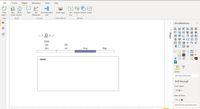
I've been using Power BI recently to report monthly operational performance of the unit that I'm responsible for. I am adding my comments by text box or by images in each month. I want to ask that is there any way to change the comments by changing the month in time slicer Timeline 2.1.1. For example I want to see the comments on July when I change the month in slicer to July and not to see the August or June or any other month and when I change the month in the slicer to August, July comments disappear and August comments appear in text box. I want to ask same question for images too, is it possible to change the image by changing month in slicer?
Thanks in advance.
Hi @Anonymous
@Anonymous , Not very clear Use title or grouping https://docs.microsoft.com/en-us/power-bi/desktop-grouping-visuals
I am not sure I understand you well but grouping did not work, I think I should somehow link each month and textbox including comments specific to that month but I dont know how.
Check out the November 2025 Power BI update to learn about new features.
Advance your Data & AI career with 50 days of live learning, contests, hands-on challenges, study groups & certifications and more!