Forum Discussion

How to get data from SQL Server from an external server ?
Hi Power Bi community !
I'm dealing with a problem today but i don't have any issue. Indeed I want to know how to get data from SQL Server from an external server in Power Bi Desktop. Do I enter the Ip adress in the server name ? or IPADRESS:ServerName ? If not where I have to mention th ip adress ?
Thanks in advance,
Ghislain
Hi Ghislain,
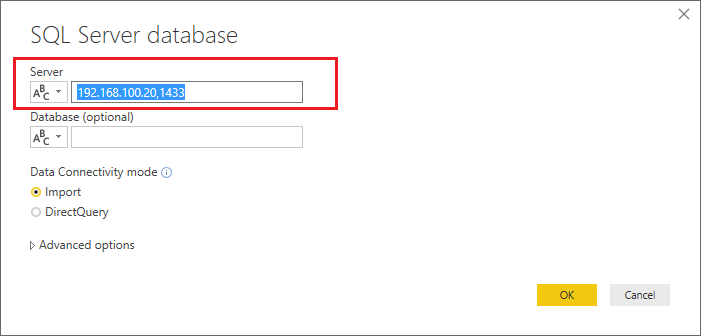
I just verified that I can connect successfully to one of my remote SQL Server by IP address with my Power BI Desktop. I'm using (IP,Port) for the Server field in Power BI Desktop.:smileyhappy:
Regards
5 Replies
 v-ljerr-msftMicrosoft Employee
Hi Ghislain,
I just verified that I can connect successfully to one of my remote SQL Server by IP address with my Power BI Desktop. I'm using (IP,Port) for the Server field in Power BI Desktop.:smileyhappy:
Regards
 GhislainAdvocate I
v-ljerr-msft Thanlks for your answer ! But where I can find the port ?
- v-ljerr-msftMicrosoft Employee
 Karthik12Post Patron
Hi, Woww.. I am also searing for the same. Is it applicable for MySQL too? Our production date tables stored in MySQL server and comes like .php.