Join us at FabCon Atlanta from March 16 - 20, 2026, for the ultimate Fabric, Power BI, AI and SQL community-led event. Save $200 with code FABCOMM.
Register now!The Power BI Data Visualization World Championships is back! Get ahead of the game and start preparing now! Learn more
Hi @Anonymous ,
Try like below:
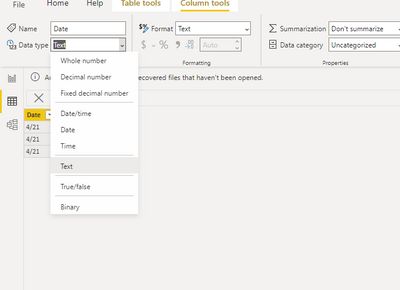
Step1,change date type to date:
Step 2, use the following dax to create new date column:
datenew = DATE(YEAR('Table'[Date]),MONTH('Table'[Date]),01)
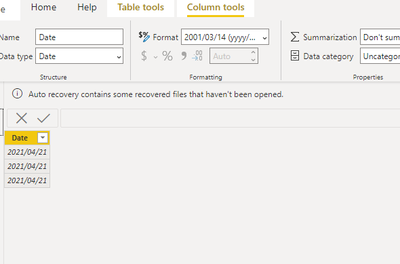
Final you will see the below:
And you could use the new column and delete before column then rename new column .
Wish it is helpful for you!
Best Regards
Lucien
Hi @Anonymous ,
Has your problem been solved, if so, please consider Accept a correct reply as the solution or share your own solution to help others find it.
Best Regards
Lucien
Hi @Anonymous ,
Try like below:
Step1,change date type to date:
Step 2, use the following dax to create new date column:
datenew = DATE(YEAR('Table'[Date]),MONTH('Table'[Date]),01)
Final you will see the below:
And you could use the new column and delete before column then rename new column .
Wish it is helpful for you!
Best Regards
Lucien
Thank you for your help
Check out the November 2025 Power BI update to learn about new features.
Advance your Data & AI career with 50 days of live learning, contests, hands-on challenges, study groups & certifications and more!