
Don't miss your chance to take the Fabric Data Engineer (DP-700) exam on us!
Learn moreWe've captured the moments from FabCon & SQLCon that everyone is talking about, and we are bringing them to the community, live and on-demand. Starts on April 14th. Register now
Hi,
I would like display a cell value as percentage, but couldn't see an option. At the moment, I have to create a measure, and set the format for this measure. However this is very inconvenient. Any suggestions? Thanks
Solved! Go to Solution.
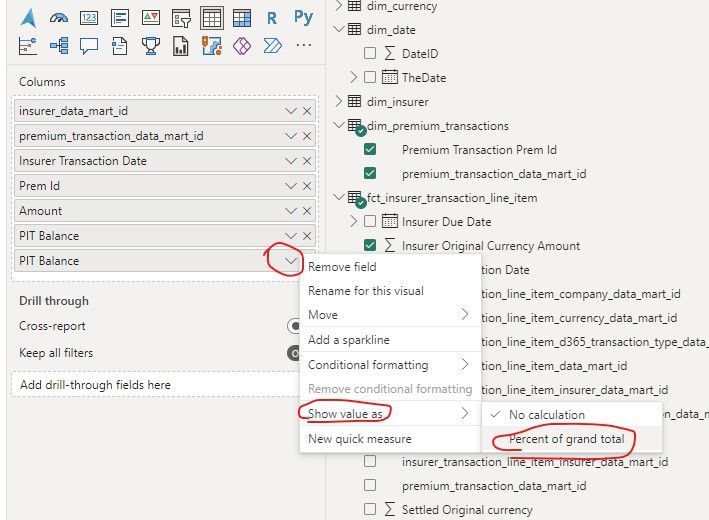
you can show % of grand total in a matrix visual
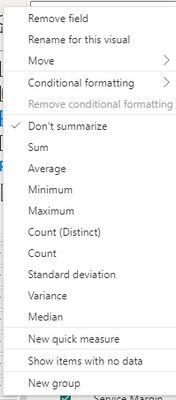
If you select the Sum part first that option should be available, and if you have it as a matrix you can do it as a % of the Column or row total!
Thanks for the help!
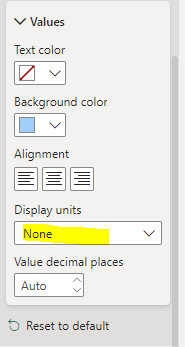
Hi, if I chanaged to Sum, I can only see below option, which is not really what I need. I am a bit surprise as I though I should be able to format the cell this way. Any other thoughts? Thanks so much for the info
Thanks for the quick response. The value is not for the Grand Total. It's for each individual row, and I can't see the option like your screen shot - see below. Am I missing something? Thanks
If you select the Sum part first that option should be available, and if you have it as a matrix you can do it as a % of the Column or row total!
you can show % of grand total in a matrix visual
If you have recently started exploring Fabric, we'd love to hear how it's going. Your feedback can help with product improvements.
A new Power BI DataViz World Championship is coming this June! Don't miss out on submitting your entry.
Share feedback directly with Fabric product managers, participate in targeted research studies and influence the Fabric roadmap.
| User | Count |
|---|---|
| 53 | |
| 35 | |
| 31 | |
| 19 | |
| 17 |
| User | Count |
|---|---|
| 74 | |
| 72 | |
| 39 | |
| 35 | |
| 23 |