
Join us at FabCon Atlanta from March 16 - 20, 2026, for the ultimate Fabric, Power BI, AI and SQL community-led event. Save $200 with code FABCOMM.
Register now!Vote for your favorite vizzies from the Power BI Dataviz World Championship submissions. Vote now!
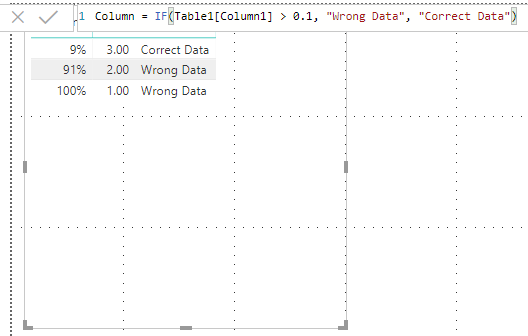
I have a table with a column that shows percentages as shown in the below image (column C), now I want to create a column on based on the percentage values in column C. For example, if the percentage is greater than or equal to 10 then output should "Incorrect Data" else if the percentage is less than 10 then output should be "correct data". How to achieve this condition column in Power BI on based on percentage values column?
Thanks!
Solved! Go to Solution.
The percentage(%) column is created measure.
Hi @Anonymous
You may create a measure as below:
Measure 3 = IF([Percent]>=0.1,"Incorrect Data","Correct data")
Regards,
Cherie
@Anonymous Thanks for the response.
Can you guide me on how to relate values as decimals?
Thanks!
Vote for your favorite vizzies from the Power BI World Championship submissions!
If you love stickers, then you will definitely want to check out our Community Sticker Challenge!
Check out the January 2026 Power BI update to learn about new features.
| User | Count |
|---|---|
| 57 | |
| 52 | |
| 40 | |
| 17 | |
| 16 |
| User | Count |
|---|---|
| 116 | |
| 105 | |
| 41 | |
| 34 | |
| 25 |