Forum Discussion

How to change the date format?
 10 years ago
sanchit This is controlled by the Locale Setting!
MM/DD/YYYY is the US format (and maybe some other countires not sure???)
But your csv file likely came form a place where they use DD/MM/YYYY
To have PBI recognize those as dates Go to File => Options and settings => Options => Locale => change to your country/region

Sean Thank you so much :smileyvery-happy: It worked.
I was trying it with DAX but in vain , is there a way to solve it using DAX , manually adding a new column with a different date format.
sanchit Probably easiest way would be in the Query Editor
Split Column => by delimiter => Custom "/" at each occurence
And then Merge those columns in the "correct" order.
That should work!
- baptiste9 years agoAdvocate I
Another way of doing:
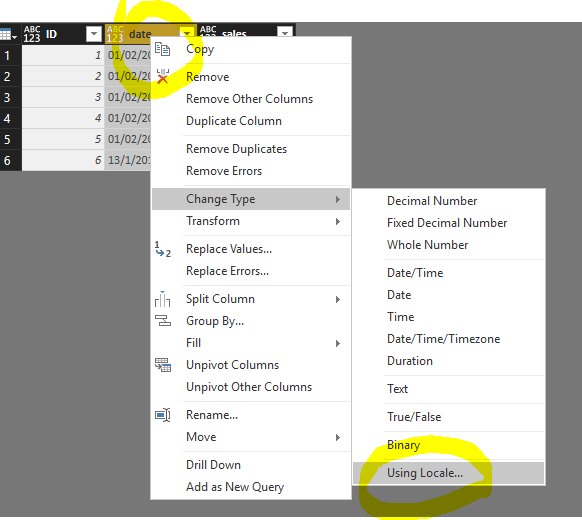
In Power Query Editor, right-click on the column header / "Change Type" / "Using Locale..." / then choose Date format with the locale you want
source:
https://community.powerbi.com/t5/Desktop/date-format-is-changed-in-power-bi-desktop/m-p/45385#M17618