cancel
Showing results for 
Search instead for 
Did you mean: 

Get Fabric Certified for FREE during Fabric Data Days. Don't miss your chance! Request now

Reply
Casty98
New Member

How to apply different filters to different fields within the same visual

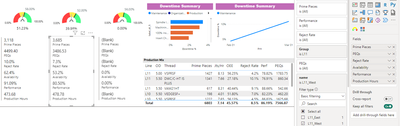
I want to apply a different filter to the Reject Rate field to be the only field to include both L11_West and L11_East.


image001.png

1 REPLY 1
Wilson_
Super User
Super User

Hi Casty98,


You can update the measure for Reject Rate to filter for only those two values.


----------------------------------
If this post helps, please consider accepting it as the solution to help other members find it quickly. Also, don't forget to hit that thumbs up and subscribe! (Oh, uh, wrong platform?)


P.S. Need a more in-depth consultation for your Power BI data modeling or DAX issues? Feel free to hire me on Upwork or DM me directly on here! I would love to clear up your Power BI headaches.


Did I answer your question? Mark my post as a solution!

Proud to be a Super User!


Helpful resources

Announcements
Fabric Data Days Carousel

Fabric Data Days

Advance your Data & AI career with 50 days of live learning, contests, hands-on challenges, study groups & certifications and more!

October Power BI Update Carousel

Power BI Monthly Update - October 2025

Check out the October 2025 Power BI update to learn about new features.

FabCon Atlanta 2026 carousel

FabCon Atlanta 2026

Join us at FabCon Atlanta, March 16-20, for the ultimate Fabric, Power BI, AI and SQL community-led event. Save $200 with code FABCOMM.

Top Solution Authors
Top Kudoed Authors