Join us at FabCon Atlanta from March 16 - 20, 2026, for the ultimate Fabric, Power BI, AI and SQL community-led event. Save $200 with code FABCOMM.
Register now!The Power BI Data Visualization World Championships is back! Get ahead of the game and start preparing now! Learn more
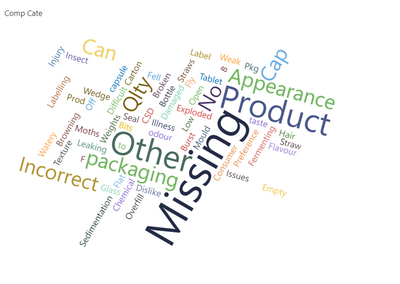
I am trying to do a Wordcloud visual to show a subcategory for trending purposes. Unforuntately Wordcloud automatically splits the category names into their component parts, so doesn't really reflect waht I want. EG Product Apperance is split to "Product" and then "Appearance". Is there a way I can overcome this?
Solved! Go to Solution.
hii @Indiegirl ,
To solve this issue,
Select your wordcloud visual.
Go to format pane.
Go to General Properties under format pane.
You will find word breaking property is ON by default.
So turn OFF this property this will solve your problem.
If my solution helps you then mark it as a solutionand give it a kudos
so that it can reach to more people.
hii @Indiegirl ,
To solve this issue,
Select your wordcloud visual.
Go to format pane.
Go to General Properties under format pane.
You will find word breaking property is ON by default.
So turn OFF this property this will solve your problem.
If my solution helps you then mark it as a solutionand give it a kudos
so that it can reach to more people.
The Power BI Data Visualization World Championships is back! Get ahead of the game and start preparing now!
| User | Count |
|---|---|
| 41 | |
| 38 | |
| 36 | |
| 31 | |
| 28 |
| User | Count |
|---|---|
| 129 | |
| 88 | |
| 79 | |
| 68 | |
| 63 |