Join us at FabCon Atlanta from March 16 - 20, 2026, for the ultimate Fabric, Power BI, AI and SQL community-led event. Save $200 with code FABCOMM.
Register now!The Power BI Data Visualization World Championships is back! Get ahead of the game and start preparing now! Learn more
Hi All,
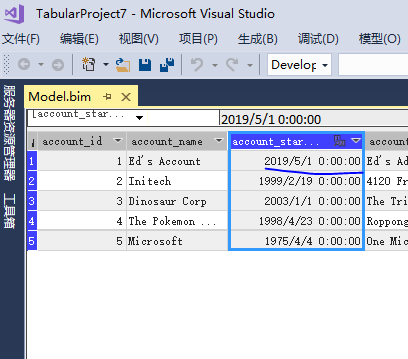
Am creating a New SSAS Tabular Project in SSDT. Is that possible to change data type from text to date directly in SSDT?
Solved! Go to Solution.
Hi @Anonymous
In the model designer, select the column for which you want to change the data type or display format. In the column Properties window, do one of the following: In the Data Format property, select a different data format. In the Data Type property, select a different data type.
@Anonymous , you can change the data type to date. If it does not work then you have to create a new column and create a date using various datepart from text.
Hi @Anonymous
In the model designer, select the column for which you want to change the data type or display format. In the column Properties window, do one of the following: In the Data Format property, select a different data format. In the Data Type property, select a different data type.
The Power BI Data Visualization World Championships is back! Get ahead of the game and start preparing now!
| User | Count |
|---|---|
| 67 | |
| 45 | |
| 43 | |
| 36 | |
| 23 |
| User | Count |
|---|---|
| 191 | |
| 127 | |
| 106 | |
| 78 | |
| 53 |