Forum Discussion
Generating rows of data based on count in column
- Anonymous7 years ago
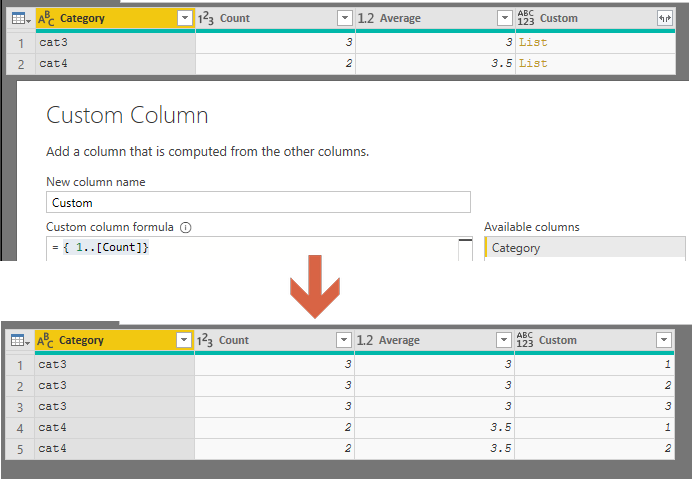
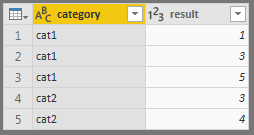
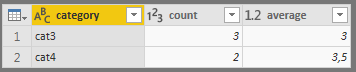
I see. So back in your second table, you can add a custom column with the following code:
{ 1..[Count]}That will produce a list starting at 1 to whatever the # in count is. You can go ahead and expand that out
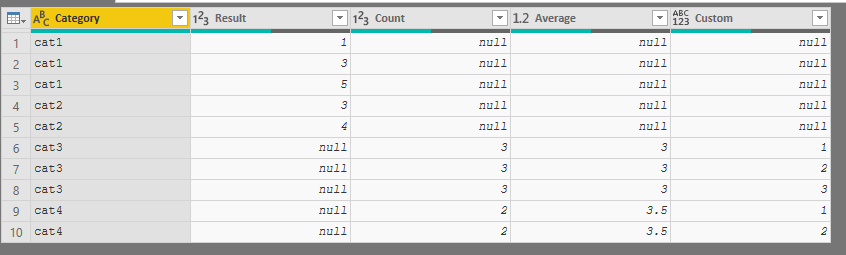
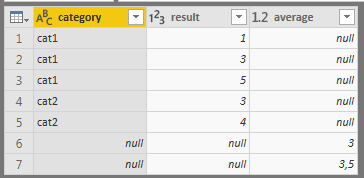
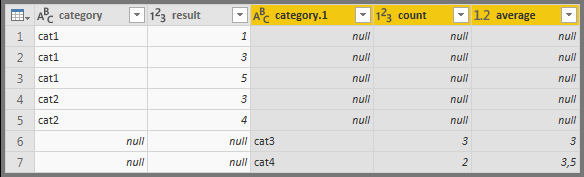
Append with table one, and you get this table
Only interested in Category, Result and Average, so can remove all the other columns.
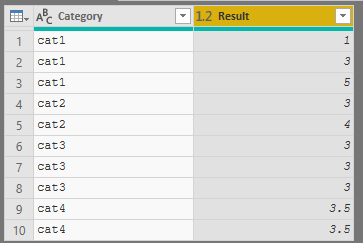
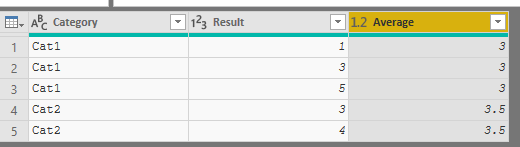
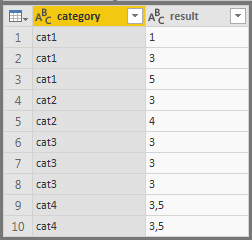
Then just merge the Result and Average columns and you the following table:
I see. So back in your second table, you can add a custom column with the following code:
{ 1..[Count]}That will produce a list starting at 1 to whatever the # in count is. You can go ahead and expand that out
Append with table one, and you get this table
Only interested in Category, Result and Average, so can remove all the other columns.
Then just merge the Result and Average columns and you the following table:
Perfect, thank you!