Forum Discussion

For Next Function in PowerBI
Hello guys, how to do this Excel VBA equivalent in PowerBI.
Function cust(mser, rratio)
Sum = 0
For n = 0 To mser - 1
Sum = Sum + rratio ^ n / FACT(n)
Next n
Sum = Sum + rratio ^ mser / FACT(mser) / (1 - rratio / mser)
cust = 1 / Sum
End Function
I am trying to do a some interactive model in which above function will be used as a measure. User will set the parameters and certain calculation will be done based on the user input. following is the screenshot. I am trying to do a calculation for "cust" using the function above
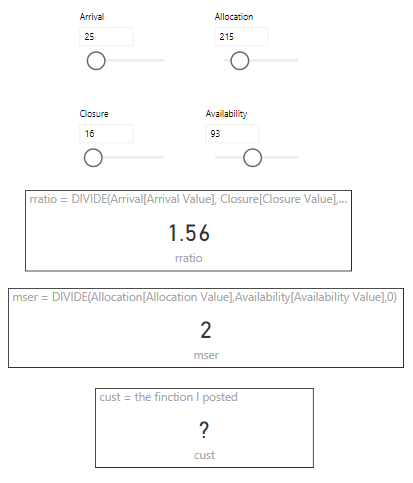
Pls help....
4 Replies
 AnonymousNot applicable
It looks like your function is describing a factorial function. If n =5, you want the function to return 120 (1 * 2 * 3 * 4 * 5).
Use the DAX function FACT().
Documention is available here
 aruljothiFrequent Visitor
Thanks you Chris, I understand what you mean, I just wrote it as an example. I want a finction to do some thing similar to that, for an example another function will be like this....
Function cust(mser, rratio)
Sum = 0
For n = 0 To mser - 1
Sum = Sum + rratio ^ n / FACT(n)
Next n
Sum = Sum + rratio ^ mser / FACT(mser) / (1 - rratio / mser)
cust = 1 / Sum
End Functionyou can think some solution for this?
- AnonymousNot applicable
You can use GENERATESERIES() to create a table of values, and then pass that into ADDCOLUMNS() to create some additional columns that could access those values and perform some sort of calculation on them.
Finally passing this table into a SUMX() or AVERAGEX() would convert the table into a single scalar value.
I think your request is still a little vague, are you able to share what your use case is?
DAX doesn't really support recursive functions. M can do a little recursion, but it involves List.Generate(), which is involved.