FabCon is coming to Atlanta
Join us at FabCon Atlanta from March 16 - 20, 2026, for the ultimate Fabric, Power BI, AI and SQL community-led event. Save $200 with code FABCOMM.
Register now!- Power BI forums
- Get Help with Power BI
- Desktop
- Service
- Report Server
- Power Query
- Mobile Apps
- Developer
- DAX Commands and Tips
- Custom Visuals Development Discussion
- Health and Life Sciences
- Power BI Spanish forums
- Translated Spanish Desktop
- Training and Consulting
- Instructor Led Training
- Dashboard in a Day for Women, by Women
- Galleries
- Data Stories Gallery
- Themes Gallery
- Contests Gallery
- QuickViz Gallery
- Quick Measures Gallery
- Visual Calculations Gallery
- Notebook Gallery
- Translytical Task Flow Gallery
- TMDL Gallery
- R Script Showcase
- Webinars and Video Gallery
- Ideas
- Custom Visuals Ideas (read-only)
- Issues
- Issues
- Events
- Upcoming Events
The Power BI Data Visualization World Championships is back! Get ahead of the game and start preparing now! Learn more
- Power BI forums
- Forums
- Get Help with Power BI
- Desktop
- Re: Filter with 4 possible outcomes
- Subscribe to RSS Feed
- Mark Topic as New
- Mark Topic as Read
- Float this Topic for Current User
- Bookmark
- Subscribe
- Printer Friendly Page

- Mark as New
- Bookmark
- Subscribe
- Mute
- Subscribe to RSS Feed
- Permalink
- Report Inappropriate Content
Filter with 4 possible outcomes
Hi all, I have a question regarding an combined IF-statement or maybe a swich if that is more efficient. I have this invoice data with following important collomns for this calculation (will also provide some sample data at the bottom):
issue_date = date invoice was sent
due_date = date when invoice has to be paid
paid_at = date when client has paid
paid = IF(fact_invoices[paid_at] == "", "NO", "YES")
Paid on time? = IF(fact_invoices[paid_date] < fact_invoices[due_date], "YES", "NO")
Then I have a column "Open & late" with following possibilities:
Already paid: IF(fact_invoices[paid_at] == "", "NO", "YES")
Not yet paid & late: IF(TODAY() > fact_invoices[due_date]
Not yet paid but customer has time: IF(TODAY() < fact_invoices[due_date]
In one formula this looks liks: IF(fact_invoices[Paid] == "YES", "Already Paid", IF(TODAY() > fact_invoices[due_date], "Not yet paid & Late", "Not yet paid but customer has time"))
Already paid: return all values where fact_invoices[paid_at] IS NOT NULL
Not paid: return all values where fact_invoices[paid_at] is empty
Not yet paid & late: IF(TODAY() > fact_invoices[due_date]
Not yet paid but customer has time: IF(TODAY() < fact_invoices[due_date]
Already paid: return all values where fact_invoices[paid_at] IS NOT NULL
Not paid: return all values where fact_invoices[paid_at] is empty
Already paid & on time: return all values where fact_invoices[paid_at] IS NOT NULL & fact_invoices[paid_at] < fact_invoices[due_date]
Already late & too late: return all values where fact_invoices[paid_at] IS NOT NULL & fact_invoices[paid_at] > fact_invoices[due_date]
Not yet paid & late: IF(TODAY() > fact_invoices[due_date]
Not yet paid but customer has time: IF(TODAY() < fact_invoices[due_date]
Sample data
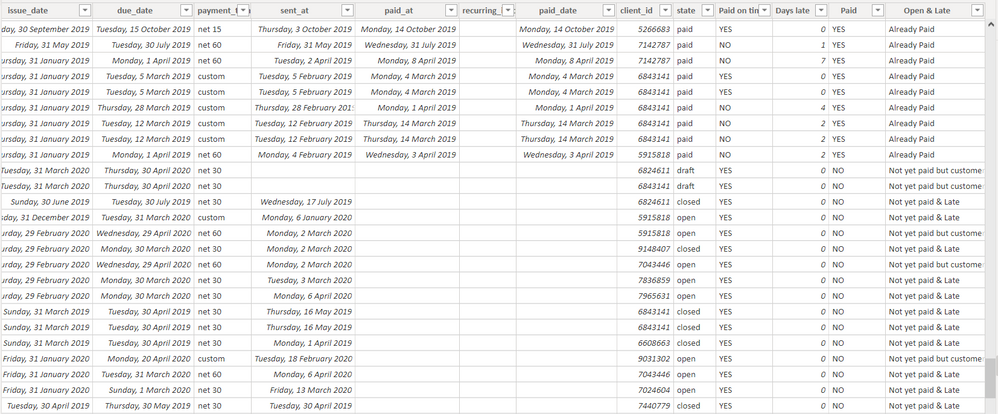
What I want to avoid is the use of too many filters:

Probably best to use SWITCH I guess but that is very new to me. Or if there is like a totally better way to di this, please let me know! I wish I could add a .pbix file but it is full of confidential information and I don't know how to get an excel from this. If anything is unclear let me know.
Thanks in advance!
Solved! Go to Solution.


- Mark as New
- Bookmark
- Subscribe
- Mute
- Subscribe to RSS Feed
- Permalink
- Report Inappropriate Content
Hi @Anonymous ,
Please check:
1. Create Columns.
Paid? = IF ( fact_invoices[paid_at] <> BLANK (), "Already paid", "Not paid" )On time or late =
IF (
fact_invoices[paid_at] <> BLANK ()
&& fact_invoices[paid_at] <= fact_invoices[due_date],
"Already paid & on time",
IF (
fact_invoices[paid_at] <> BLANK ()
&& fact_invoices[paid_at] > fact_invoices[due_date],
"Already late & too late",
IF (
TODAY () > fact_invoices[due_date],
"Not yet paid & late",
IF ( TODAY () < fact_invoices[due_date], "Not yet paid but customer has time" )
)
)
)
2. Create a Paid Filter table.
Paid Filter =
UNION (
    VALUES ( fact_invoices[Paid?] ),
    VALUES ( fact_invoices[On time or late] )
)
3. Create a Measure.
Filter Measure =
SWITCH (
    TRUE (),
    SELECTEDVALUE('Paid Filter'[Paid?])=BLANK(),1,
    SELECTEDVALUE ( 'Paid Filter'[Paid?] ) IN VALUES ( fact_invoices[Paid?] ), IF (
        MAX ( fact_invoices[Paid?] ) = SELECTEDVALUE ( 'Paid Filter'[Paid?] ),
         1
         ),
    SELECTEDVALUE ( 'Paid Filter'[Paid?] )
        IN VALUES ( fact_invoices[On time or late] ), IF (
        MAX ( fact_invoices[On time or late] ) = SELECTEDVALUE ( 'Paid Filter'[Paid?] ),
        1
    )
)
4. Put the measure above on the visuals you want to filter and set it =1.
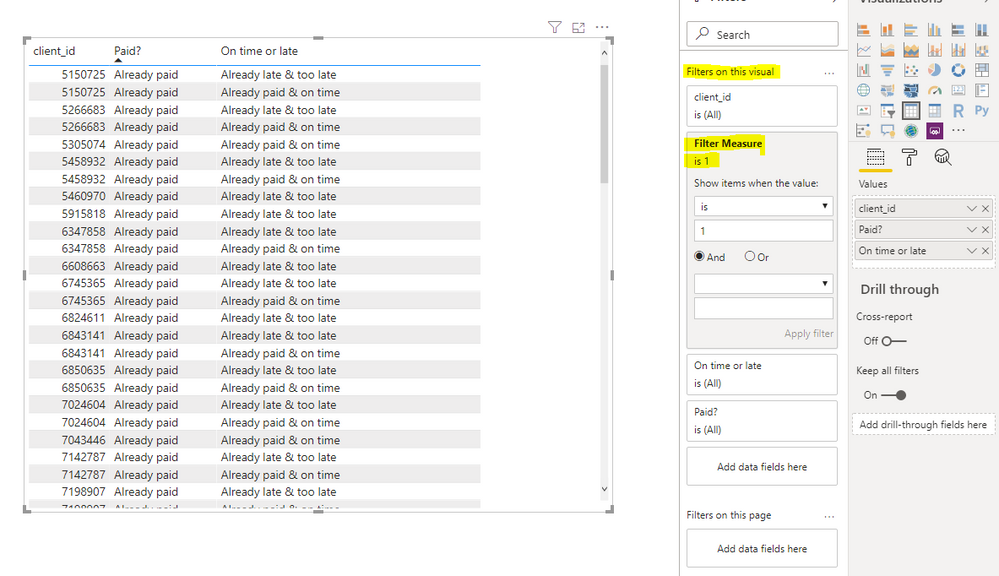
5. Test.
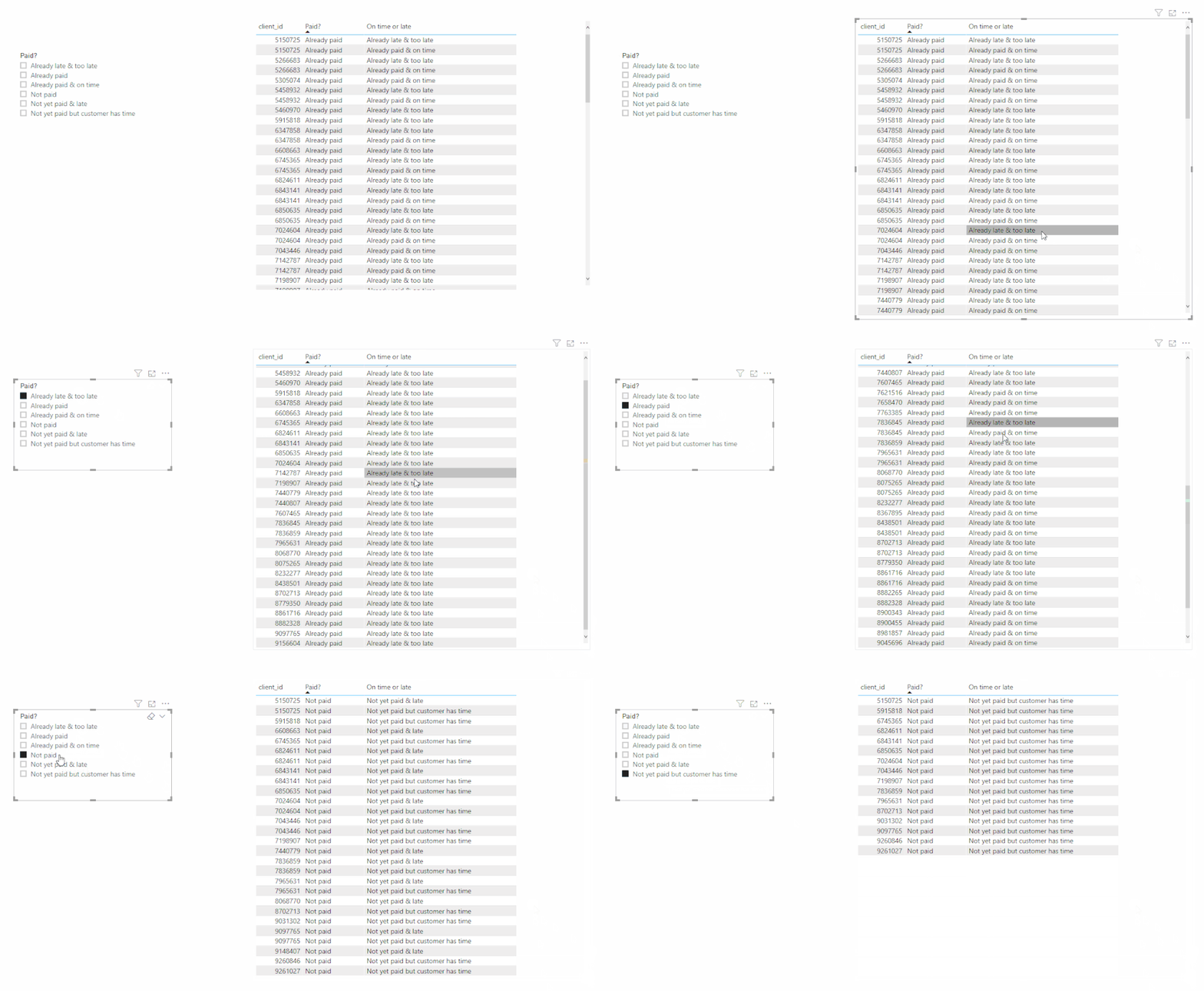
Best Regards,
Icey
If this post helps, then please consider Accept it as the solution to help the other members find it more quickly.
- Mark as New
- Bookmark
- Subscribe
- Mute
- Subscribe to RSS Feed
- Permalink
- Report Inappropriate Content
Hi @Anonymous ,
What's the meaning? 🤔
Best Regards,
Icey
- Mark as New
- Bookmark
- Subscribe
- Mute
- Subscribe to RSS Feed
- Permalink
- Report Inappropriate Content
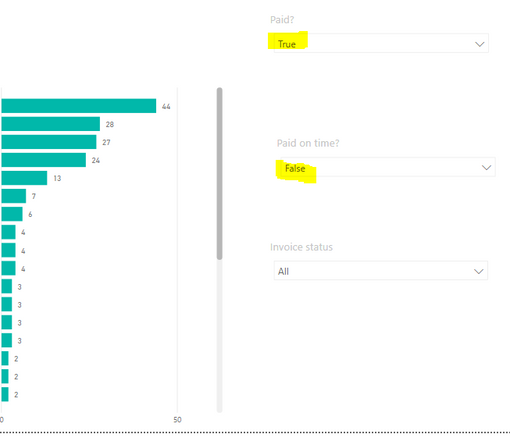
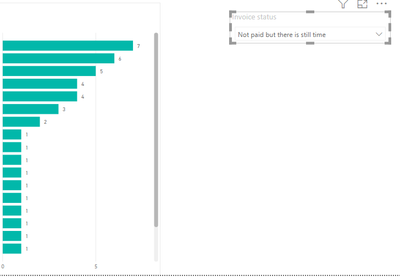
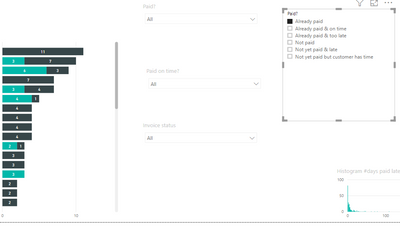
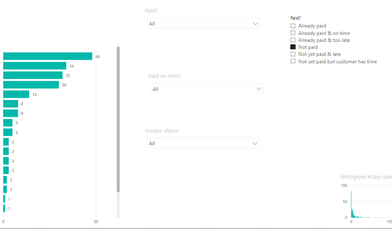
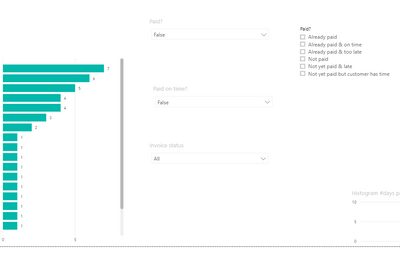
Aah I some of my text got deleted. I wanted to say that the filter is working but that it has different outputs than what I expected. I compared my results to yours and they were a bit different. That is what I wanted to show you in the pictures but it didn't came out as planned. I see only your pictures came through so I'll add mine in this post, hope that works.
Well the general meaning is to track customer payment time and have it in a user-friendly way whitout having too much filters on the top if that mat concern you as well. But I think we might stick to having 3 different filters tho, makes the rest a bit simpler...
already paid

already paid & late
Not paid:
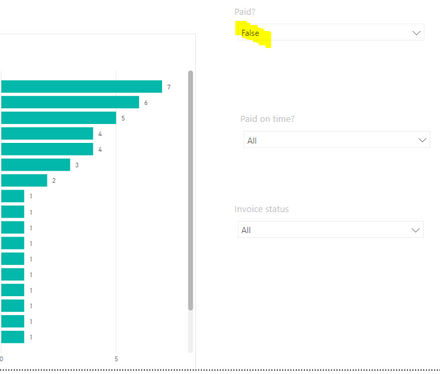
Not paid & will be late
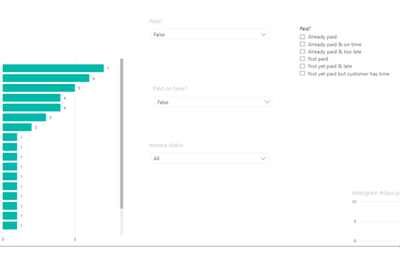
Not paid & still time
- Mark as New
- Bookmark
- Subscribe
- Mute
- Subscribe to RSS Feed
- Permalink
- Report Inappropriate Content
Hi @Anonymous ,
Well, you can choose to use any method that you think is simpler.😉
And what's the axis of the stacked bar charts?
Best Regards,
Icey
- Mark as New
- Bookmark
- Subscribe
- Mute
- Subscribe to RSS Feed
- Permalink
- Report Inappropriate Content
Well pure for the user having one filter is easier. But once I leave this project I also mist be able to explain what I have build and how they can change this later if needed. So maintenance wise the 3 filter approach would be simpler. which one to use is something I must yet decide, if I can figure out how ur measure works I moght use that one tho!
For your question:
Axis = Company name
Legend= +5 days late or -5days late
Value = count of paid_on_time
- Mark as New
- Bookmark
- Subscribe
- Mute
- Subscribe to RSS Feed
- Permalink
- Report Inappropriate Content
Hi @Anonymous ,
Is this problem solved?
Best Regards,
Icey
- Mark as New
- Bookmark
- Subscribe
- Mute
- Subscribe to RSS Feed
- Permalink
- Report Inappropriate Content
@Icey yes sorry I haven't been able to test your suggestion yet. I will try it next week again when I get back to work. Sorry for the late/no reaction, I will let you know something next week, excuses!
- Mark as New
- Bookmark
- Subscribe
- Mute
- Subscribe to RSS Feed
- Permalink
- Report Inappropriate Content
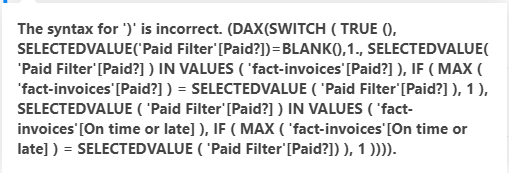
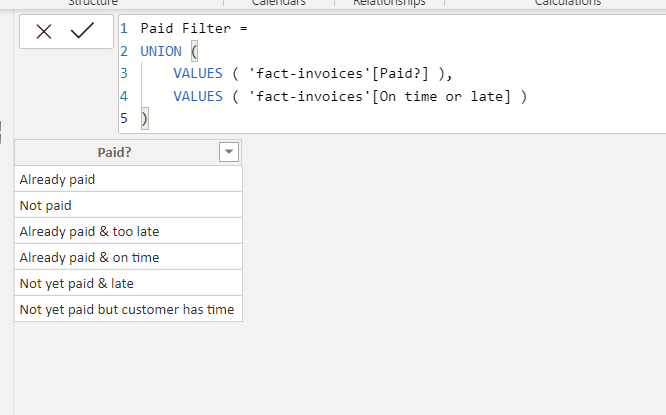
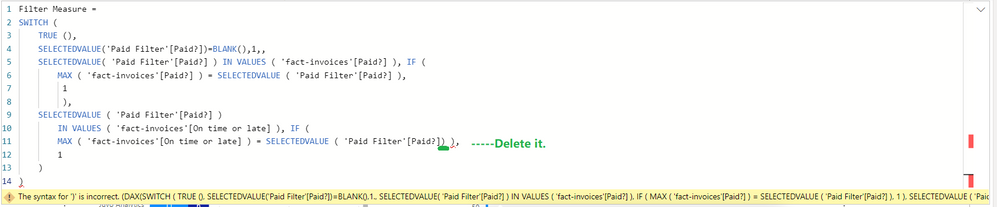
@Icey first of all sorry for the late reaction. I was just trying your solution and I get an error with the measure. See image. Fact tables are renamed from "fact_invoices" to "fact-invoices"
Measure

Calculates columns:
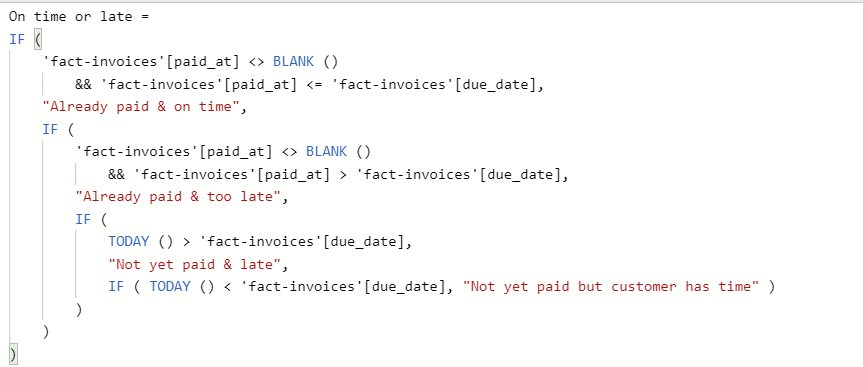

table:
- Mark as New
- Bookmark
- Subscribe
- Mute
- Subscribe to RSS Feed
- Permalink
- Report Inappropriate Content
Hi @Anonymous ,
Please delete the extra half bracket in your Measure.
Best Regards,
Icey
- Mark as New
- Bookmark
- Subscribe
- Mute
- Subscribe to RSS Feed
- Permalink
- Report Inappropriate Content

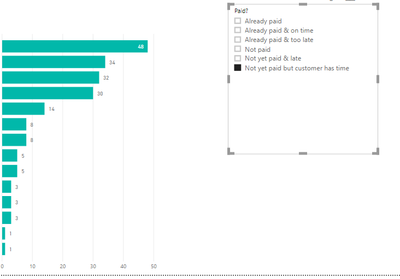
- Mark as New
- Bookmark
- Subscribe
- Mute
- Subscribe to RSS Feed
- Permalink
- Report Inappropriate Content
Hi @Anonymous ,
Please check:
1. Create Columns.
Paid? = IF ( fact_invoices[paid_at] <> BLANK (), "Already paid", "Not paid" )On time or late =
IF (
fact_invoices[paid_at] <> BLANK ()
&& fact_invoices[paid_at] <= fact_invoices[due_date],
"Already paid & on time",
IF (
fact_invoices[paid_at] <> BLANK ()
&& fact_invoices[paid_at] > fact_invoices[due_date],
"Already late & too late",
IF (
TODAY () > fact_invoices[due_date],
"Not yet paid & late",
IF ( TODAY () < fact_invoices[due_date], "Not yet paid but customer has time" )
)
)
)
2. Create a Paid Filter table.
Paid Filter =
UNION (
    VALUES ( fact_invoices[Paid?] ),
    VALUES ( fact_invoices[On time or late] )
)
3. Create a Measure.
Filter Measure =
SWITCH (
    TRUE (),
    SELECTEDVALUE('Paid Filter'[Paid?])=BLANK(),1,
    SELECTEDVALUE ( 'Paid Filter'[Paid?] ) IN VALUES ( fact_invoices[Paid?] ), IF (
        MAX ( fact_invoices[Paid?] ) = SELECTEDVALUE ( 'Paid Filter'[Paid?] ),
         1
         ),
    SELECTEDVALUE ( 'Paid Filter'[Paid?] )
        IN VALUES ( fact_invoices[On time or late] ), IF (
        MAX ( fact_invoices[On time or late] ) = SELECTEDVALUE ( 'Paid Filter'[Paid?] ),
        1
    )
)
4. Put the measure above on the visuals you want to filter and set it =1.
5. Test.
Best Regards,
Icey
If this post helps, then please consider Accept it as the solution to help the other members find it more quickly.
- Mark as New
- Bookmark
- Subscribe
- Mute
- Subscribe to RSS Feed
- Permalink
- Report Inappropriate Content
Hi @Anonymous ,
Please share me the sample data in Excel.
Best Regards,
Icey
- Mark as New
- Bookmark
- Subscribe
- Mute
- Subscribe to RSS Feed
- Permalink
- Report Inappropriate Content
@Icey sorry for late answer, I don't know how to share files in here so I provide a wetransfer link:
Does this work?
- Mark as New
- Bookmark
- Subscribe
- Mute
- Subscribe to RSS Feed
- Permalink
- Report Inappropriate Content
Hi @Anonymous ,
Sorry, I have no right to agree here. Please share me the file using other tools, like OneDrive for Business.
Best Regards,
Icey
- Mark as New
- Bookmark
- Subscribe
- Mute
- Subscribe to RSS Feed
- Permalink
- Report Inappropriate Content
Helpful resources

Power BI Monthly Update - November 2025
Check out the November 2025 Power BI update to learn about new features.

Fabric Data Days
Advance your Data & AI career with 50 days of live learning, contests, hands-on challenges, study groups & certifications and more!

FabCon Atlanta 2026
Join us at FabCon Atlanta, March 16-20, for the ultimate Fabric, Power BI, AI and SQL community-led event. Save $200 with code FABCOMM.


