
Get certified for free when you join Fabric Data Days 2026 and dive into Fabric, Power BI, SQL, AI, and other essential data skills.
Join nowData Days is here! Join us now for 60+ days of learning, challenges, and connection. Learn more
Hi,
I am using the below filters in my report and all the filters are connected to my Date table which has 10years data in it. From Year 2000 till 2030.
When i am opening my report i need all these filters to be selected with current yearm month, week and day values. After entering the report with current values, the user should also be able to change the filter values. How to perform this ?
Solved! Go to Solution.
@Anonymous , There is no option default using some kind of function.
Usally we create a column like this for year and select this year and same
Month Type = Switch( True(),
year([Date]) = year(Today())-1,"Last Year" ,
year([Date])= year(Today()),"This Year" ,
Format([Date],"YYYY")
)
The same is true for the month
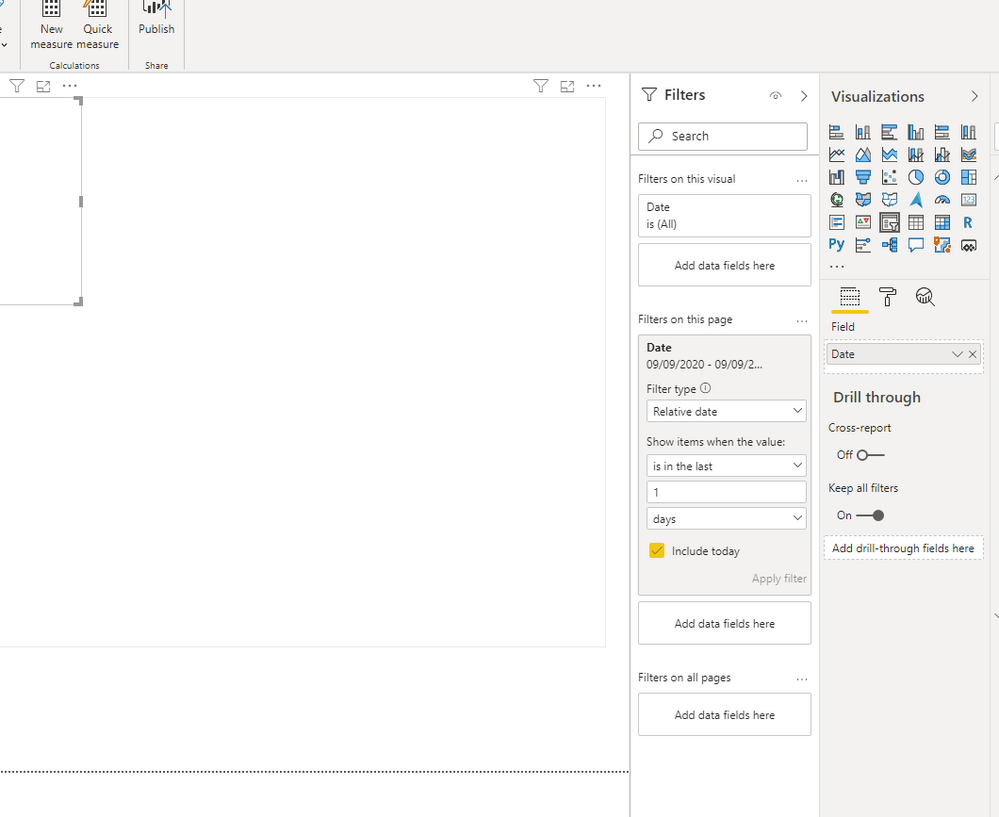
which visual are you using for the week days? is that the slicer? you can use the visual filter to set it to the date you want it to be you can set the relative date filter to filter it to the last day
Proud to be a Super User!
@Anonymous - This one comes up so much I should know the answer by heart by now but can't remember exactly. I think it involves creating a column or measure for TODAY() or (TODAY() - [Date] * 1.) so basically a relative number of days and adding the slicer to the page set to 1? Sorry, it's something like that.
@Anonymous , There is no option default using some kind of function.
Usally we create a column like this for year and select this year and same
Month Type = Switch( True(),
year([Date]) = year(Today())-1,"Last Year" ,
year([Date])= year(Today()),"This Year" ,
Format([Date],"YYYY")
)
The same is true for the month
Don't miss out on Data Days, June 15 through August 7. Learn Fabric, Power BI, SQL, AI and more.
Check out the May 2026 Power BI update to learn about new features.
| User | Count |
|---|---|
| 23 | |
| 23 | |
| 21 | |
| 20 | |
| 15 |
| User | Count |
|---|---|
| 58 | |
| 54 | |
| 42 | |
| 30 | |
| 24 |