Hi @S_M,
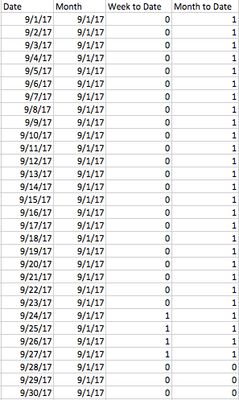
You need to create multiple separate measures to calculate target revenue for daily, monthly, week to date and month to date. Then, take slicer selection into account, combine these four measures into a final measure using conditional statement. Like below:
Measure = IF(LASTNONBLANK('OtherTable'[MeasureOption],1)="measure1",[Measure1], IF(LASTNONBLANK('OtherTable'[MeasureOption],1)="measure2",[Measure2],[Measure3]))
Reference: How to show dynamic measures on a chart using the slicer option.
Measures on Rows – Here is How I did it
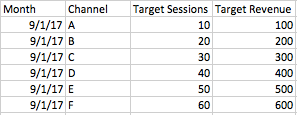
By the way, how did you create relationships between budget table and date table? You said it is based on the column month, however, it looks like a many to many relationship.
Regards,
Yuliana Gu
Community Support Team _ Yuliana Gu
If this post helps, then please consider Accept it as the solution to help the other members find it more quickly.