Forum Discussion

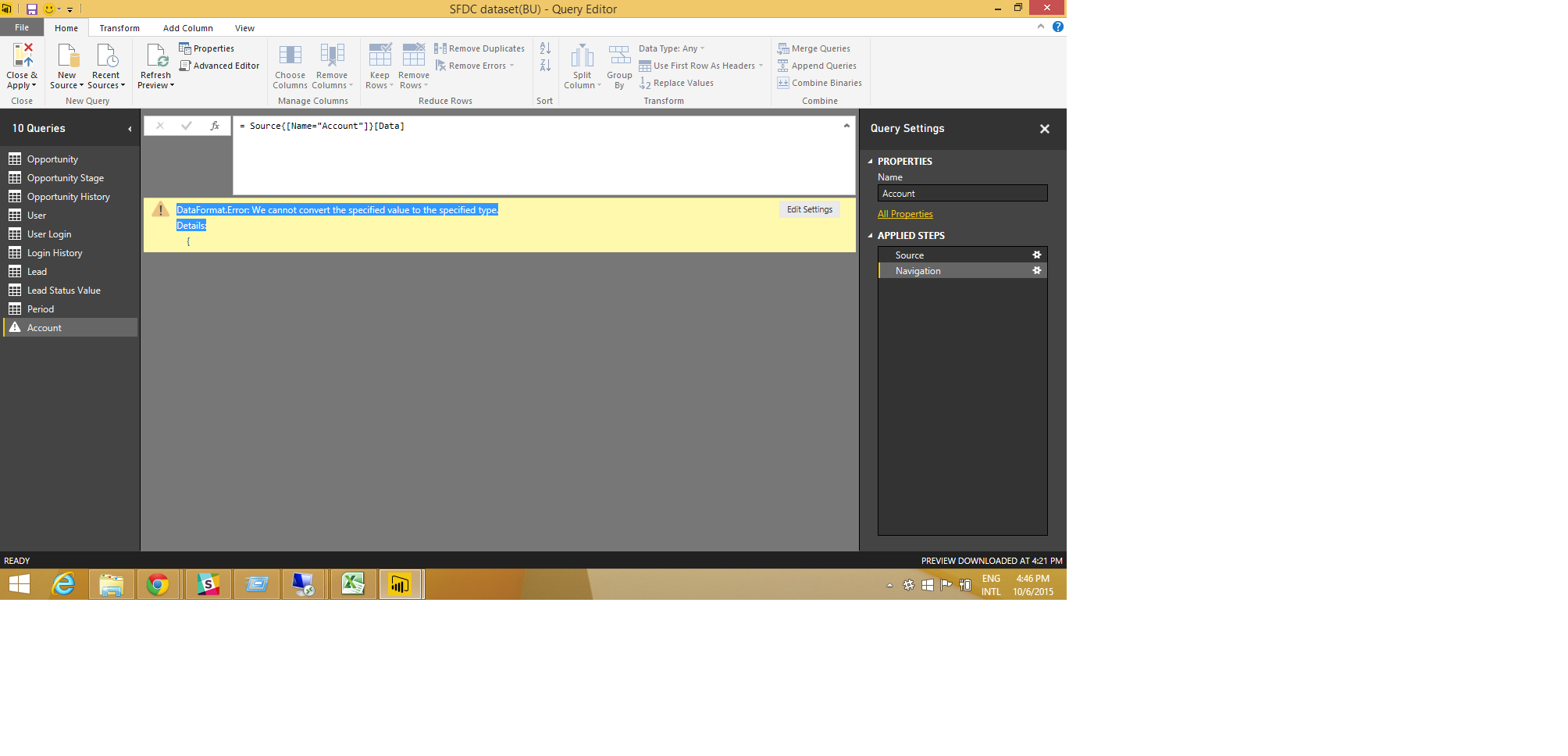
DataFormat.Error: We cannot convert the specified value to the specified type.
Hi
Am new to PowerBI ,
i got this struck with an error ,while loading one of the table(Accounts) from salesforce to PowerBI
= Source{[Name="Account"]}[Data]
DataFormat.Error: We cannot convert the specified value to the specified type.
Details:
Any kind of help or work around would be highly Appreciable
Thank you
11 Replies
 jbryant04New Member
Did you ever find a resolution to this problem? I'm having the same issue on an object which didn't previously have any errors.
 AnonymousNot applicable
I've the same issue. Was anybody able to fix it?
Regards,
Francesco
 EvogelpohlHelper V
Anonymous & Bjoern.
I have this problem getting data from a custom object in a SalesForce (SF) table.
Here's how I solved my issue - Hope this helps you:
1) Query to get just the column names, so i can pass that to a function that finds the offending column with the data type that PowerQuery (PQ) can't deal with.
let
    Source = Salesforce.Data(),
    MyTable_c = Source{[Name="MyTable_c"]}[Data],
    LSTHeaders = Table.ColumnNames(MyTable_c),
    LST2Table = Table.FromList(LSTHeaders, Splitter.SplitByNothing(), null, null, ExtraValues.Error)
in
    LST2Table
2) Write a function to pass each column (i had 175) and get back just the first row - using "TRY" - this told me what column error'ed out.
let fnMCRColName = (MCRColName as text) =>

let
    Source = Salesforce.Data(),
    Source2 = Source{[Name="MyTable__c"]}[Data],
    LSTHeaders = Table.ColumnNames(Source2),
    FinalTable = Table.SelectColumns(
            Source2,
            {
                 MCRColName
            }
    ),
    FirstRow = Table.First(FinalTable)
in
    FirstRow
in
    fnMCRColName
3.
Add column to the first query results using the TRY function: Try fnLookup(querylist_colnames)
4.
Expand the custome record - you should see something like this:
5. You can see I have a GeoLocation_c column in my customer SF ojbect that PQ probably doesn't like. I've tried casting it to TEXT, but that doesn't work.
I'm going to update my query to remove that column
Eric.
- mllopisCommunity Admin
Hi Sunil,
We would need a Fiddler trace captured while the connection is being made to better understand the root cause. Would you be able to share that with us in this thread or via a Send a Frown email from Power BI Desktop?
Thanks,
M. - BjoernContinued Contributor
What data types does the to-be-imported column have?
- AnonymousNot applicable
I've no clue. The message is
DataFormat.Error: We cannot convert the specified value to the specified type.
Details:
{and does not specify the offending column. if I write something like
let
Source = Salesforce.Data(),
Account1= Table.RemoveRowsWithErrors(Source{[Name="Account"]}[Data])
in
Account1it only gets 2001 rows with 1 error (and I don't understand which error)
- EvogelpohlHelper V
Having the same problem. Created a custom object in SalesForce (tableX_c) and there must be a column(s) with a data_type that PowerQuery/PowerBi doesn't like.
Suggestions?
 jaykilleenAdvocate II
I had a similar issue and tried to implement this fix to see what was going on. Ended up getting a firewall error. In the end I just removed as many columns as possible (ie just left with an Id and CreatedById) and my query worked.
Make sure you remove columns as soon as possible to force the query folding. Essentially you just don't want PBI to pull the table from Salesforce at all (seems most people are having this issue when accessing Salesforce).
