Advance your Data & AI career with 50 days of live learning, dataviz contests, hands-on challenges, study groups & certifications and more!
Get registeredGet Fabric Certified for FREE during Fabric Data Days. Don't miss your chance! Request now
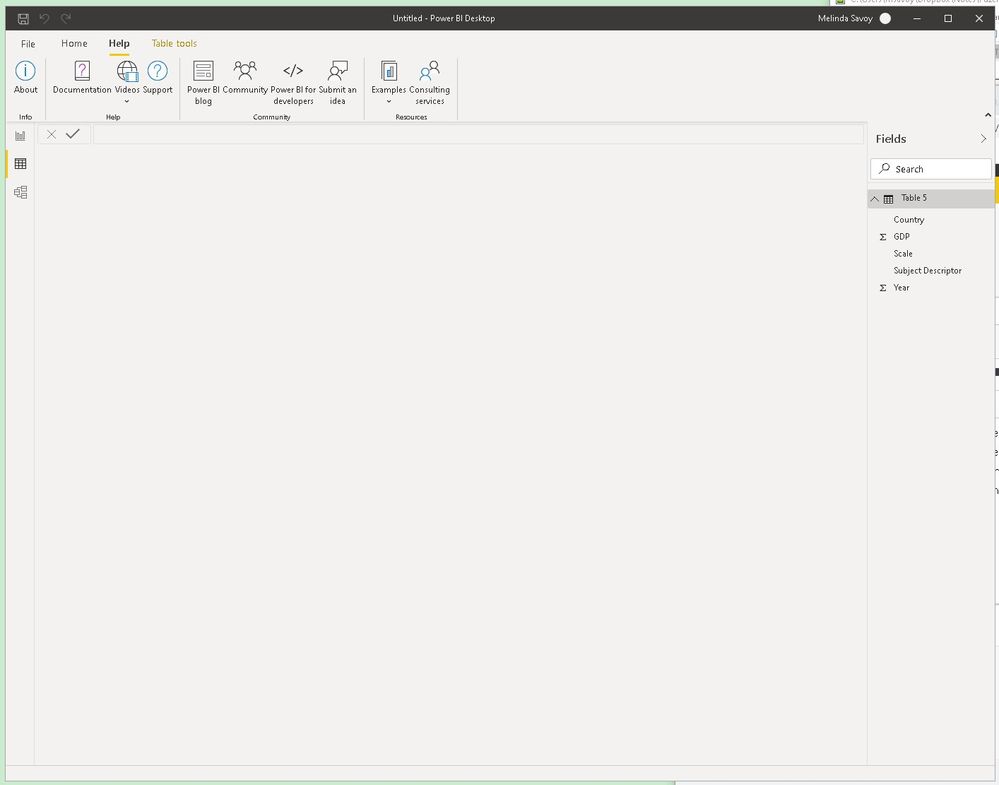
I am taking a tutorial for beginners power bi. We loaded the data from a website and the fields are displayed in the FIELDS section of the power bi desktop screen. After loading the data, the Report view was the default and the screen was blank. We were told to click on the Data View icon directly below the Report View icon and when I did, I see a blank screen (see pic below). Any suggestions/direction would be appreciated.
The version of Power BI that I'm working on is: Version: 2.82.5858.641 64-bit (June 2020). This is the DATA VIEW screenshot.
Solved! Go to Solution.
@Anonymous , Click on a column name and then you should be able to see , Click on column and click back on table
That got it. Thank you, Amitchandak, for the reply.
Advance your Data & AI career with 50 days of live learning, contests, hands-on challenges, study groups & certifications and more!
Check out the October 2025 Power BI update to learn about new features.