cancel
Showing results for 
Search instead for 
Did you mean: 

The FabCon + SQLCon recap series starts April 14th at 8am Pacific. If you’re tracking where AI is going inside Fabric, this first session is a can't miss. Register now

Reply
MrGriff
Frequent Visitor

Daily Increase problem

I have multiple meters that I can see and show how much they have gone up by as below, to get the daily value I need to subtract the max of the day for the min for the day;

FactoryLocationAreaLine_TIMESTAMP_VALUE
Fact1MANUFArea1Sub109/02/2021 15:591585783
Fact1MANUFArea1Sub109/02/2021 16:151585783
Fact1MANUFArea1Sub109/02/2021 16:311585784
Fact1MANUFArea1Sub109/02/2021 16:471585784
Fact1MANUFArea1Sub109/02/2021 17:031585785
Fact1MANUFArea1Sub109/02/2021 17:191585785
Fact1MANUFArea1Sub109/02/2021 17:351585785
Fact1MANUFArea1Sub109/02/2021 17:511585786
Fact1MANUFArea1Sub109/02/2021 18:071585786


I have created a calculation, and this works at the line detail, but when I want to show on a visual the Area / Location / Factory level it breaks and will not show the correct calculation.


Active Energy Delived = (
    CALCULATE( SUM(Sheet1[_VALUE]) , FILTER ( Sheet1 , Sheet1[_TIMESTAMP] = MAX( ( Sheet1[_TIMESTAMP] ) )))
-
(CALCULATE( SUM(Sheet1[_VALUE]) , FILTER ( Sheet1 , Sheet1[_TIMESTAMP] = MIN( ( Sheet1[_TIMESTAMP] ) ))))
)


Do I need to modify my DAX or do I need to create a summarize table to get this view?

Sample data https://1drv.ms/x/s!AjC_xz2zXa0Ug-tAB9S0dUBJl-FSfQ?e=p9rZKp

Thanks

1 ACCEPTED SOLUTION
Jihwan_Kim
Super User
Super User

Hi, @MrGriff 

Please check the below picture and the sample pbix file's link down below.

If I may suggest, I prefer to have date column and time column separately.  Because in case there is time-based analysis is needed, it is more efficient.

Even if you do not split it for this time, you can still try to write something similar to the below.


Picture5.png


Active Energy Delivered =
VAR currentdate =
MAX ( 'Calendar'[Date] )
VAR currentarea =
MAX ( Data[Area] )
VAR currentlocation =
MAX ( Data[Location] )
VAR currentfactory =
MAX ( Data[Factory] )
VAR startlevel =
CALCULATE (
SUM ( Data[_VALUE] ),
FILTER (
ALLSELECTED ( Data ),
Data[Time] = MIN ( Data[Time] )
&& Data[Date] = currentdate
&& Data[Area] = currentarea
&& Data[Location] = currentlocation
&& Data[Factory] = currentfactory
)
)
VAR endlevel =
CALCULATE (
SUM ( Data[_VALUE] ),
FILTER (
ALLSELECTED ( Data ),
Data[Time] = MAX ( Data[Time] )
&& Data[Date] = currentdate
&& Data[Area] = currentarea
&& Data[Location] = currentlocation
&& Data[Factory] = currentfactory
)
)
RETURN
endlevel - startlevel


Hi, My name is Jihwan Kim.


If this post helps, then please consider accept it as the solution to help other members find it faster, and give a big thumbs up.


Linkedin: linkedin.com/in/jihwankim1975/

Twitter: twitter.com/Jihwan_JHKIM


If this post helps, then please consider accepting it as the solution to help other members find it faster, and give a big thumbs up.


Click here to visit my LinkedIn page

View solution in original post

4 REPLIES 4
ryan_mayu
Super User
Super User

@MrGriff 

maybe you can try to create a date column

DATE = INT('Table'[_TIMESTAMP])

then create a measure

Measure = 
var _MIN=CALCULATE(MIN('Table'[_TIMESTAMP]),ALLEXCEPT('Table','Table'[Area],'Table'[Factory],'Table'[Line],'Table'[Location],'Table'[DATE]))
VAR _MAX=CALCULATE(MAX('Table'[_TIMESTAMP]),ALLEXCEPT('Table','Table'[Area],'Table'[Factory],'Table'[Line],'Table'[Location],'Table'[DATE]))
RETURN MAXX(FILTER('Table','Table'[_TIMESTAMP]=_MAX),'Table'[_VALUE])-MAXX(FILTER('Table','Table'[_TIMESTAMP]=_MIN),'Table'[_VALUE])

please see the attachment below


Did I answer your question? Mark my post as a solution!

Proud to be a Super User!


Jihwan_Kim
Super User
Super User

Hi, @MrGriff 

Please check the below picture and the sample pbix file's link down below.

If I may suggest, I prefer to have date column and time column separately.  Because in case there is time-based analysis is needed, it is more efficient.

Even if you do not split it for this time, you can still try to write something similar to the below.


Picture5.png


Active Energy Delivered =
VAR currentdate =
MAX ( 'Calendar'[Date] )
VAR currentarea =
MAX ( Data[Area] )
VAR currentlocation =
MAX ( Data[Location] )
VAR currentfactory =
MAX ( Data[Factory] )
VAR startlevel =
CALCULATE (
SUM ( Data[_VALUE] ),
FILTER (
ALLSELECTED ( Data ),
Data[Time] = MIN ( Data[Time] )
&& Data[Date] = currentdate
&& Data[Area] = currentarea
&& Data[Location] = currentlocation
&& Data[Factory] = currentfactory
)
)
VAR endlevel =
CALCULATE (
SUM ( Data[_VALUE] ),
FILTER (
ALLSELECTED ( Data ),
Data[Time] = MAX ( Data[Time] )
&& Data[Date] = currentdate
&& Data[Area] = currentarea
&& Data[Location] = currentlocation
&& Data[Factory] = currentfactory
)
)
RETURN
endlevel - startlevel


Hi, My name is Jihwan Kim.


If this post helps, then please consider accept it as the solution to help other members find it faster, and give a big thumbs up.


Linkedin: linkedin.com/in/jihwankim1975/

Twitter: twitter.com/Jihwan_JHKIM


If this post helps, then please consider accepting it as the solution to help other members find it faster, and give a big thumbs up.


Click here to visit my LinkedIn page

Hi @Jihwan_Kim 

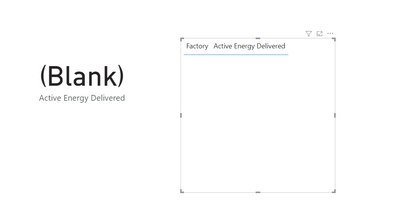
Thanks for the help, I have tried to do the same as above but I get the below when I implement your solution,

MrGriff_1-1619773211842.png


I have attached the PBIX here for you to have a look at what I have done; 

https://1drv.ms/u/s!AjC_xz2zXa0Ug-tYBlkfyUtQ5aYEzQ?e=fB6vuQ

If you can help that would be great.


Thanks


Hi, @MrGriff 

Thank you for your feedback.

Can you tell me which date / which area / which location / which factory information do you want to show in card visualization? Without selecting the criteria, I do not know what to show.

Or, please describe what is your desired outcome.

Thank you.

Hi, My name is Jihwan Kim.


If this post helps, then please consider accept it as the solution to help other members find it faster, and give a big thumbs up.


Linkedin: linkedin.com/in/jihwankim1975/

Twitter: twitter.com/Jihwan_JHKIM


If this post helps, then please consider accepting it as the solution to help other members find it faster, and give a big thumbs up.


Click here to visit my LinkedIn page

Helpful resources

Announcements
New to Fabric survey Carousel

New to Fabric Survey

If you have recently started exploring Fabric, we'd love to hear how it's going. Your feedback can help with product improvements.

Power BI DataViz World Championships carousel

Power BI DataViz World Championships - June 2026

A new Power BI DataViz World Championship is coming this June! Don't miss out on submitting your entry.

Join our Fabric User Panel

Join our Fabric User Panel

Share feedback directly with Fabric product managers, participate in targeted research studies and influence the Fabric roadmap.

March Power BI Update Carousel

Power BI Community Update - March 2026

Check out the March 2026 Power BI update to learn about new features.