
cancel
Showing results for 
Search instead for 
Did you mean: 

The Power BI Data Visualization World Championships is back! Get ahead of the game and start preparing now! Learn more

Reply
Anonymous
Not applicable

Custom Shape Map not working in proj wgs84

Hi everyone, 


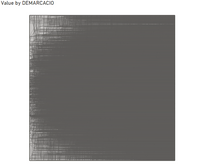
I have a custom map on a .json format. I make it to import in Power BI but the graph shows this:

Captura.PNG


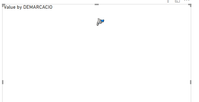
Then I changed the projection to "equirectangular" and I could get the map but in a really small size:

Captura3.PNG

Afterwards, I checked some past posts so I decided to import the file into mapshaper and typed proj wgs84  on the console, but got the following message:


Captura2.PNG


Can anyone help me with that?


Thank you!!

1 ACCEPTED SOLUTION
Icey
Community Support
Community Support

Hi @Anonymous ,

When converting to WGS-84 in the Mapshaper console, you might get an error which says "Unable to project -- source coordinate system is unknown ". This means that Mapshaper can not recognise the original coordinate system, and you will need to specify it yourself to convert. For this you will need to check the source of where you downloaded the geo data.


For details, please refer to these documents: 

How to upload your own map;

Converting to WGS84.


Best Regards,

Icey


If this post helps, then please consider Accept it as the solution to help the other members find it more quickly.

View solution in original post

1 REPLY 1
Icey
Community Support
Community Support

Hi @Anonymous ,

When converting to WGS-84 in the Mapshaper console, you might get an error which says "Unable to project -- source coordinate system is unknown ". This means that Mapshaper can not recognise the original coordinate system, and you will need to specify it yourself to convert. For this you will need to check the source of where you downloaded the geo data.


For details, please refer to these documents: 

How to upload your own map;

Converting to WGS84.


Best Regards,

Icey


If this post helps, then please consider Accept it as the solution to help the other members find it more quickly.

Helpful resources

Announcements
Power BI DataViz World Championships

Power BI Dataviz World Championships

The Power BI Data Visualization World Championships is back! Get ahead of the game and start preparing now!

December 2025 Power BI Update Carousel

Power BI Monthly Update - December 2025

Check out the December 2025 Power BI Holiday Recap!

FabCon Atlanta 2026 carousel

FabCon Atlanta 2026

Join us at FabCon Atlanta, March 16-20, for the ultimate Fabric, Power BI, AI and SQL community-led event. Save $200 with code FABCOMM.