

Join us at FabCon Atlanta from March 16 - 20, 2026, for the ultimate Fabric, Power BI, AI and SQL community-led event. Save $200 with code FABCOMM.
Register now!View all the Fabric Data Days sessions on demand. View schedule
Hello folks..,
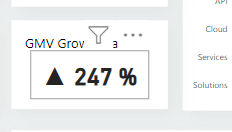
Here I stucked with a query, where I have to present a card visual with a value of Month wise growth %age , I used the below Measure Query.
it results like :
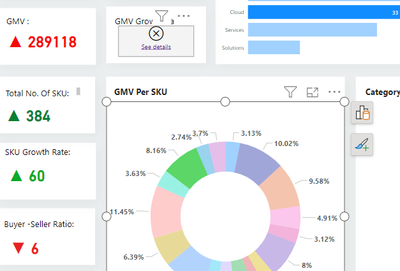
If I select a specific value in other visuals it is raising an error ,Below i posted the same :
but the visual is working when the other Visual or selected visual is connected with monthwise data, Please kindly check the query and suggest if anything has to be changed or provide the required measure formula to present the Month wise growth %age .
Thank You In Advance .
@amitchandak
Thanks for the Response .
I shared the Dax Command which I used , please check my approach is correct or not ,kindly provide the code to represent the growth value of any value by monthwise .
@Anonymous @amitchandak @Arul
HI @Anonymous,
In fact, these formula does not help. We do not clear for your table data structures and not able to do further test for troubleshoot.
Regards,
Xiaoxin Sheng
Hi @Anonymous ,
Can you please share a pbix or some dummy data that keep the raw data structure with expected results? It should help us clarify your scenario and test to coding formula.
How to Get Your Question Answered Quickly
Regards,
Xiaoxin Sheng
Check out the November 2025 Power BI update to learn about new features.
Advance your Data & AI career with 50 days of live learning, contests, hands-on challenges, study groups & certifications and more!