Hi
I am still learning the system and please need assistance from all of you Power Bi Gurus.
I need to create a report that will show the time each employee spent on different statuses of a job. Keeping in mind that the same job can change employees.
I am stuck on how to get the information in the same table (accurately) so that I can do the time difference formulas afterwards.
I already extracted the information related to the employee job allocation from the SQL server tables and appended them.
The 3 tables I appended are:
 LoggedJobsCreated
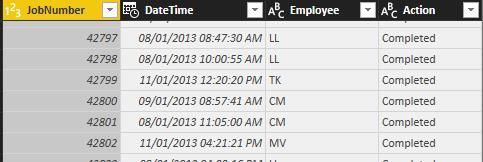 Logged Jobs Completed
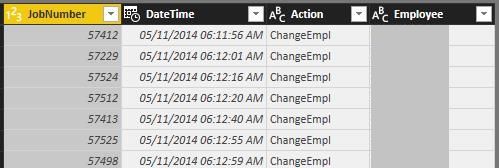 Jobs Employee Amendments
After I appended the tables I then filtered it to only include this year and sorted the JobNumber and DateTime columns (ascending).
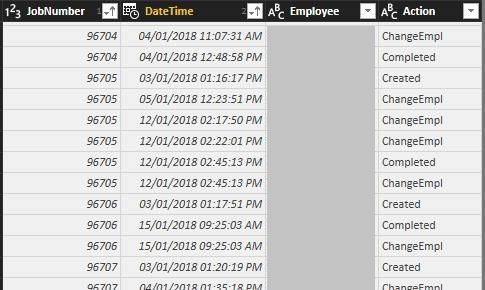 Job Employee Allocations (Appended Table)
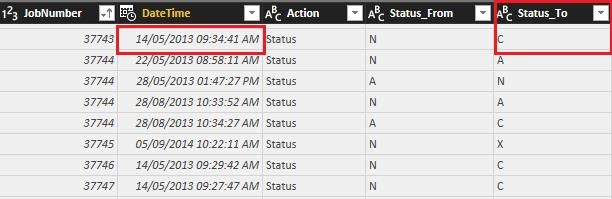
This is where the tricky parts come in - I need to somehow show the time that each employee spent on the different statuses per job number. There is another table that shows the status changes of the job.
 Job Status Amendments
I don't know if Power Bi can recognize the times between the two tables...

I would appreciate all advise 🙂


