Join us at FabCon Atlanta from March 16 - 20, 2026, for the ultimate Fabric, Power BI, AI and SQL community-led event. Save $200 with code FABCOMM.
Register now!The Power BI Data Visualization World Championships is back! Get ahead of the game and start preparing now! Learn more
Hey, I need some help with this:
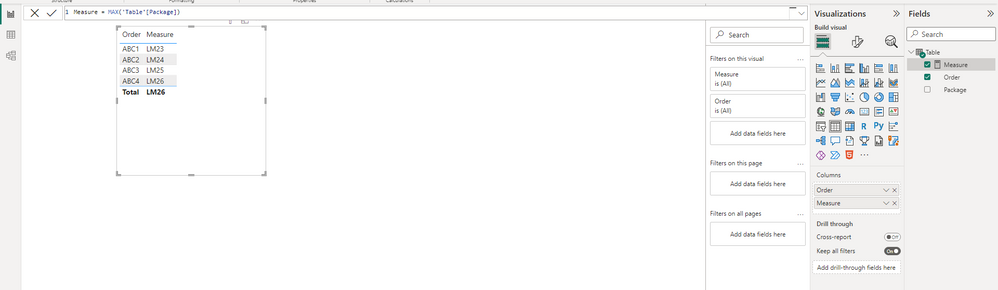
I want to create a measure that returns all the values from a column, is that possible? I don't want to use min, max because they only return one value. In this case the measure should return all the values from the Package column, thank you.
| Order | Package |
| ABC1 | LM21 |
| ABC1 | LM22 |
| ABC1 | LM23 |
| ABC2 | LM24 |
| ABC3 | LM25 |
| ABC4 | LM26 |
Solved! Go to Solution.
Hi @YR23 ,
This is a characteristic of the measure, which returns the calculation of the current row based on the context.
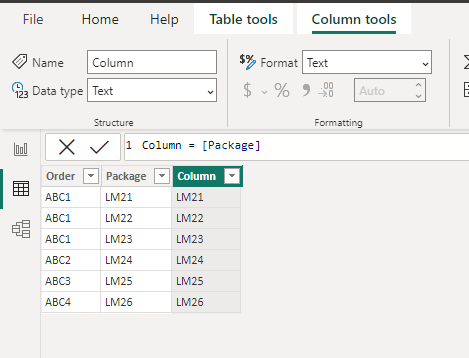
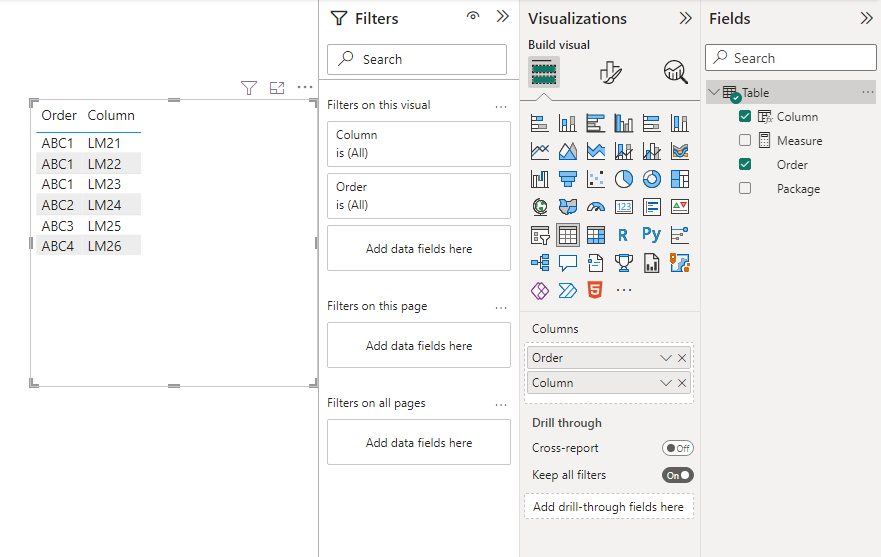
You should use calculated column instead of measure.
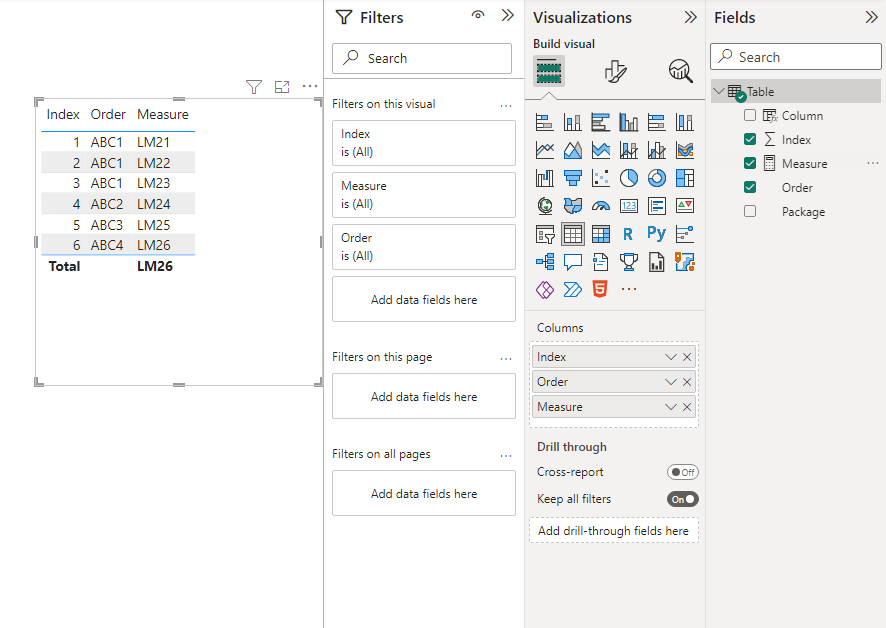
If you still insist on using a measure, it's suggested to add a column, such as an indexed column, to augment the context filter for the visual. You can add an index column in Power Query.
Best Regards,
Stephen Tao
If this post helps, then please consider Accept it as the solution to help the other members find it more quickly.
Hi @YR23 ,
This is a characteristic of the measure, which returns the calculation of the current row based on the context.
You should use calculated column instead of measure.
If you still insist on using a measure, it's suggested to add a column, such as an indexed column, to augment the context filter for the visual. You can add an index column in Power Query.
Best Regards,
Stephen Tao
If this post helps, then please consider Accept it as the solution to help the other members find it more quickly.
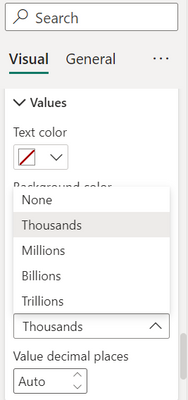
Can you see this option
Check out the November 2025 Power BI update to learn about new features.
Advance your Data & AI career with 50 days of live learning, contests, hands-on challenges, study groups & certifications and more!