Join us at FabCon Atlanta from March 16 - 20, 2026, for the ultimate Fabric, Power BI, AI and SQL community-led event. Save $200 with code FABCOMM.
Register now!View all the Fabric Data Days sessions on demand. View schedule
Hi fellow mates,
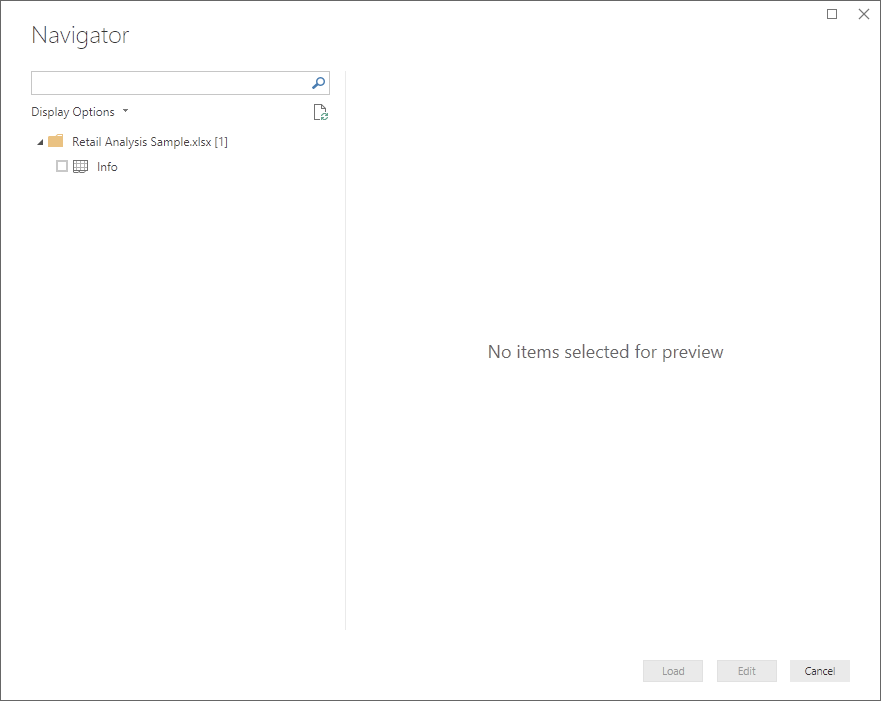
I just downloaded the sample files to follow the tutorial. But when I try to "Get Data" using Excel, nothing but "info" sheet as in the attached file.
Your kindl advise is really appreciated. Thanks.
Solved! Go to Solution.
Hi @Anonymous,
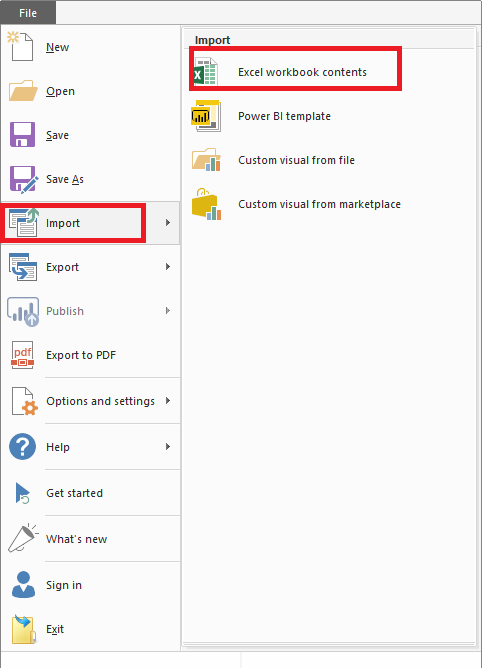
By my test, for your requirement, we should import the excecl workbook directly in Power BI Desktop like below, then you could see the tables in Power BI.
Best Regards,
Cherry
Hi @Anonymous,
By my test, for your requirement, we should import the excecl workbook directly in Power BI Desktop like below, then you could see the tables in Power BI.
Best Regards,
Cherry
Check out the November 2025 Power BI update to learn about new features.
Advance your Data & AI career with 50 days of live learning, contests, hands-on challenges, study groups & certifications and more!