

cancel
Showing results for 
Search instead for 
Did you mean: 

The Power BI Data Visualization World Championships is back! Get ahead of the game and start preparing now! Learn more

Reply
mpicca13
Resolver IV
Resolver IV

Conditional formatting in table - Web URL- "Based on field" selection Greyed out.

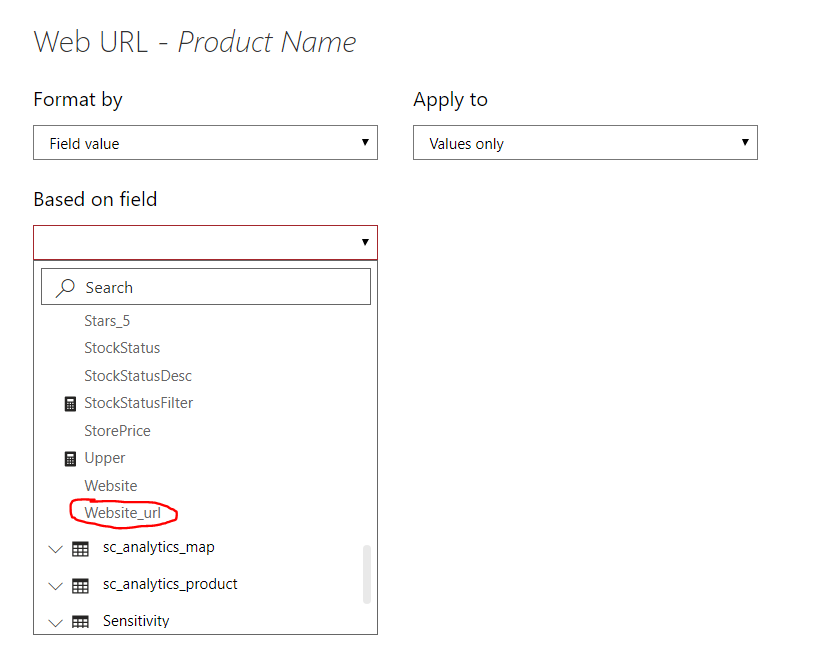
I currently have a Web URL that is conditionally formated to a column in my table. I am trying to change to another URL from another table. I'm not sure why but when I try to change to the other URL (Which I have formatted successfuly before) the selection is greyed out.


Things to note:

1. This report is Connected Live to a Power-BI Dataset.

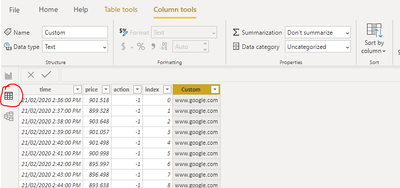
2. The Column containing the URL I want to format into the table is set to "Don't Summarize" and Data Category -> Uncategorized as depicted below.

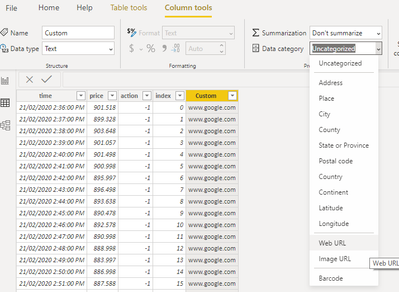
3. I've tried changing the data category to Web URL but the selection remains greyed out.

4. I've tried conditionally formatting in the model file and it worked just fine. It is only in the thin report where it is not working.


Any ideas?


Greyed out selection on conditional formatting

Capture.PNG

Column Properties:


Capture1.PNG


Connection showin in thin report:


Capture3.PNG


2 REPLIES 2
Anonymous
Not applicable

Hi @mpicca13 - Can you try this-

  1. In Data view, select the column.

  2. In the Column Tools, select Data Category > Web URL.

Capture1.PNG


Untitled.png

Hope this helps


Cheers,

Namish

Anonymous
Not applicable

Also @mpicca13  i just realised you need to use the URL with https://

Else it wont get recognised as a URL. Strange but true.

For Eg- https://www.google.com/ works fine but www.google.com does'nt


Cheers,

-Namish B


Helpful resources

Announcements
Power BI DataViz World Championships

Power BI Dataviz World Championships

The Power BI Data Visualization World Championships is back! Get ahead of the game and start preparing now!

November Power BI Update Carousel

Power BI Monthly Update - November 2025

Check out the November 2025 Power BI update to learn about new features.

FabCon Atlanta 2026 carousel

FabCon Atlanta 2026

Join us at FabCon Atlanta, March 16-20, for the ultimate Fabric, Power BI, AI and SQL community-led event. Save $200 with code FABCOMM.