Forum Discussion
Conditional formatting for Multi Info Cards
- 4 years ago
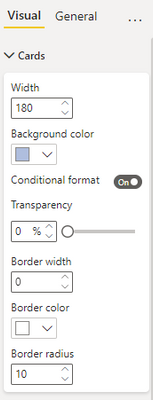
Domenick , create multiple card visuals and then do your conditional formatting on each card visual to change the background colour dynamically.
You can't use conditional formatting on background for a "multi-card visual"
Hence create multiple "single card visuals" and on each card do you background conditional formatting.
Domenick , unfortunately we can't do that.
You can have multiple card visuals and then do background formatting and place them in such a way that they look like multi Card visual.
- Domenick4 years ago
Helper IV
Well that's not conditional formatting
- truptis4 years ago
Community Champion
Domenick , create multiple card visuals and then do your conditional formatting on each card visual to change the background colour dynamically.
You can't use conditional formatting on background for a "multi-card visual"
Hence create multiple "single card visuals" and on each card do you background conditional formatting.
- Anonymous4 years agoNot applicable
Hi truptis ,
But what if there is a slicer, and the card values are dynamic ..
My Requirement would need the cards (each card containing Name,Photo,Dept, Promotion Y/N), and if the Promotion Y/N column value is Y, I would want either of the below to happen:
1. The name of the person corresponding would appear in a different color
2. A symbol is added next to the name
Curious to hear your inputs..
Thanking you ind advance..
S