Forum Discussion
Concatenate Measures for Data Labels in Tree Map
- 5 years ago
Hi, swwong1
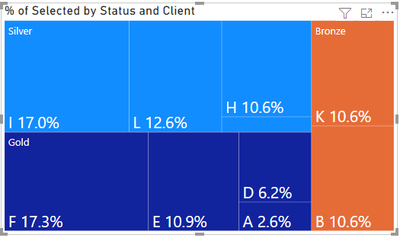
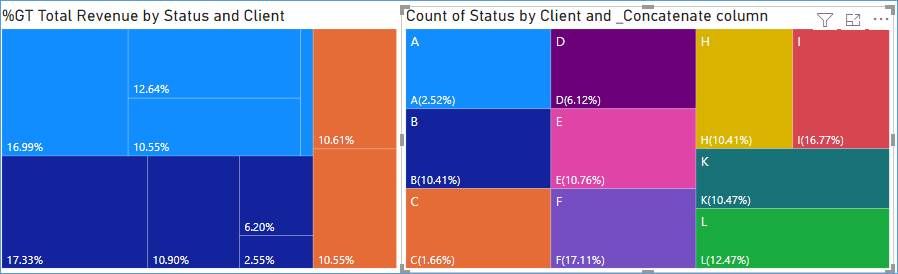
I guess I got the result you want. Please check the result below.
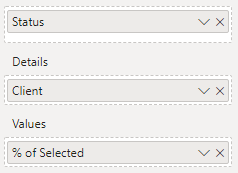
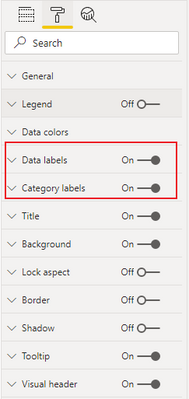
In the following result, I didn't make any changes to your source file. I just tried to change the displayed fields and settings in the properties
Please refer to the attachment below for details
Is this the result you want? Hope this is useful to you
Please feel free to let me know If you have further questions
Best Regards,
Community Support Team _ Zeon Zheng
If this post helps, then please consider Accept it as the solution to help the other members find it more quickly.
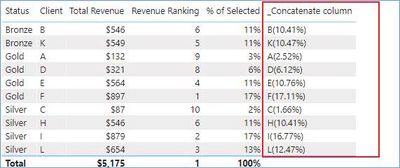
Thanks for the above. I have looked into this and used COMBINEVALUES to join them together but as it was a measure, I couldn't add this to 'details' in the tree map.
In your solution, you have joined them through calculated columns but if you look at the % it is slightly different as I have 12 clients in total (but tree map only shows top 10). The calculated column isn't taking into account the filter context so it is showing the % of all 12 clients, instead of % of top 10 clients.