Forum Discussion

Change connection/server

konradmd After clicking on edit queries in top ribbon. Find the steps as shown below. Hope this helps!
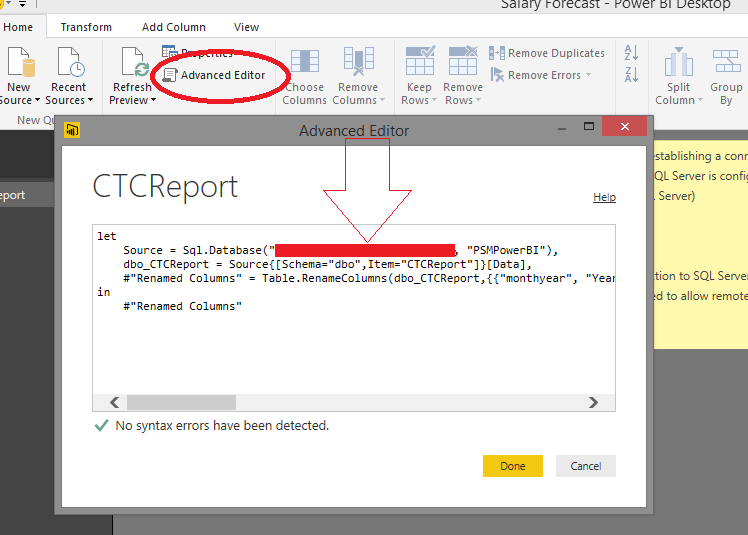

Thank you both for your help. This worked as a first step for me.
But can I change the datasource/credentials in a pbix-file without any user interaction, e.g., via command line or a startup parameter of the desktop version of PowerBI?
 malindajepsen10 years agoAdvocate I
This works great if you have one data source. I have several queries from the same SQL Server that I need to change the connection to.
I also need a way to do a "replace" for the database server/database.
 v-sadadi10 years agoMicrosoft Employee
Hi,
I even have several tables from the same SQL server. I want to update the Database name and Server name at a glance for all the tables.
Please help me on this.
Thanks
Satya
 Bjoern10 years agoContinued Contributor
Well, I guess you either have to
a) change all the advanced settings to the right DB name + servername
or
b) use variables, as described in this blogpost.
... but in order to do that, you still have to touch all queries, i guess...
- medwards8079 years agoHelper I
You most likely know this by now:
Create a Blank Query
//CRMServiceURl//
let
Source = "https://<tenant>.api.crm.dynamics.com/api/data/v8.1"
in
SourceNote: Uncheck Enable on Load (So that it does not appear as a table (You can aslo use a parameter
Update All Other Querieslet
Source = OData.Feed(CRMServiceURL),