
Join us at FabCon Atlanta from March 16 - 20, 2026, for the ultimate Fabric, Power BI, AI and SQL community-led event. Save $200 with code FABCOMM.
Register now!Get Fabric Certified for FREE during Fabric Data Days. Don't miss your chance! Request now
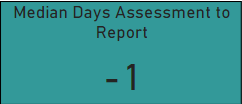
I have a quick measure (difference of X and Y) applied to a card visual and shown as median, with some results having negative values, depending on other selection on the page.
Is it at all possible to visually show any number on the card that is less than 0, to show as 0.
I don't want it to affect the data itself - for example, I don't want to exclude or suppress values that are less than 0. Just want them to display visually as 0 on this particular card.
Could anyone help me out please? Thank you.
Solved! Go to Solution.
Hi @ibtvek
Yes, create a measure dedicated to this card with the condition
something like
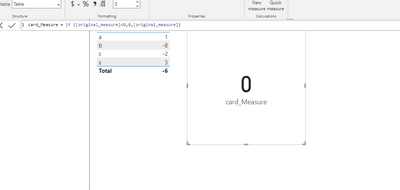
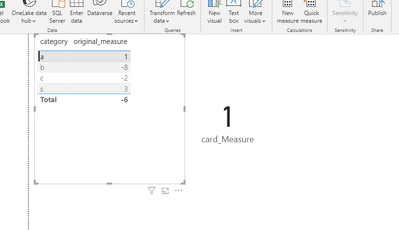
Cardmeasure = if ([original_measure] <0,0,[original_measure])
If this post helps, then please consider Accepting it as the solution to help the other members find it more quickly
Hi @ibtvek
Yes, create a measure dedicated to this card with the condition
something like
Cardmeasure = if ([original_measure] <0,0,[original_measure])
If this post helps, then please consider Accepting it as the solution to help the other members find it more quickly
Hi there.
Thank you for your response. When I try to create a new measure, it won't recognise the original measure name [Diff Plan to Ax] for some reason
But this works fine as a new column, any ideas?
It seems that it is not measure , may be it column name.
You need to create a measure
Check out the November 2025 Power BI update to learn about new features.
Advance your Data & AI career with 50 days of live learning, contests, hands-on challenges, study groups & certifications and more!