Join us at FabCon Atlanta from March 16 - 20, 2026, for the ultimate Fabric, Power BI, AI and SQL community-led event. Save $200 with code FABCOMM.
Register now!View all the Fabric Data Days sessions on demand. View schedule
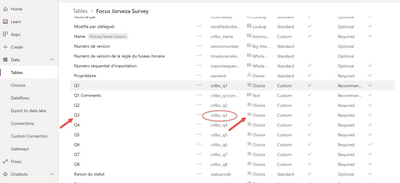
I have imported tables from de Dataverse connector in PowerBI desktop, in that table i have a choice column called cr6bc_q3. I only can show the value and not the name of the choice selected by the user in the powerapps. Need help please
My table
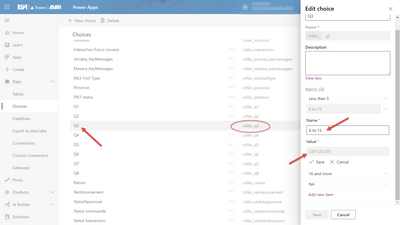
My choice:
My result in power bi:
Thanks for the help!
Solved! Go to Solution.
Thank you @hannibalmads! This solution worked for me! No more workarounds 🙌
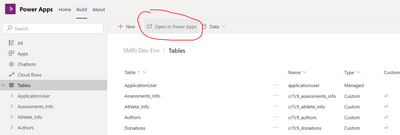
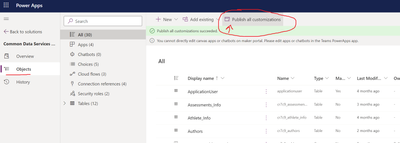
@GrantR I am also working within a Dataverse for Teams environment. And the Publish all customizations worked, however it was a bit tricky to find. Below are some screenshots that should show you how to get there.
Hello, I experience the same issue as the user above.
The table should show the value of the choice. That is, each choice defined in Dataverse has an ID (numeric) and a value (text string). In the example above, the ID shows in the column cr6b_q3 and the value should appear in the column cr6b_q3name, but the name column remains empty.
Check out the November 2025 Power BI update to learn about new features.
Advance your Data & AI career with 50 days of live learning, contests, hands-on challenges, study groups & certifications and more!