Forum Discussion

JohannB's avatar
JohannB
Icon for Helper I rankHelper I
9 years ago
Solved

Calculation of multiple subtotal %

Hi,

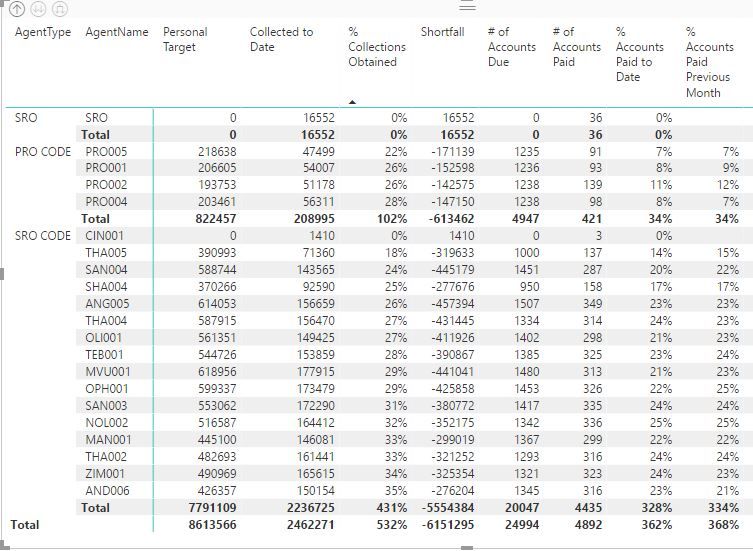
I am trying to show each % column to add up to 100%

Example:

 Thank you in advance

  • Hi JohannB,


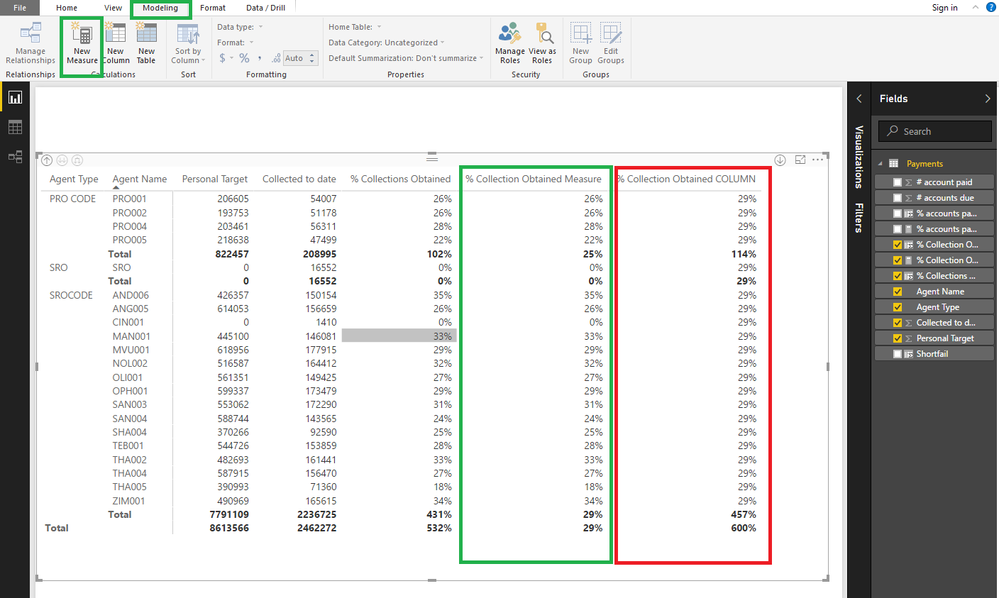
    You are adding the values as a column, you need to do the exact same calculation but as a measure not a column as you can see below using the same formula on a column gives the 29% (this is making a row context and then adding it up) making it on a measure it will take into account the table context and give the correct results.


    Please refer to this link to have additional information also look in Google "Calculated Columns vs Measures in PBI".


    Regards,

    MFelix

5 Replies

  • Hi JohannB,


    How are you calculating the % for each columns? It seems to me you are having a column with the % and the adding it to your visual is this it?


    When you want to calculate over your context you need to use measures if you use the columns to make the %, averages whatever then when you add them to your visuals the context is at a row level and you will get the sum not the correct value.


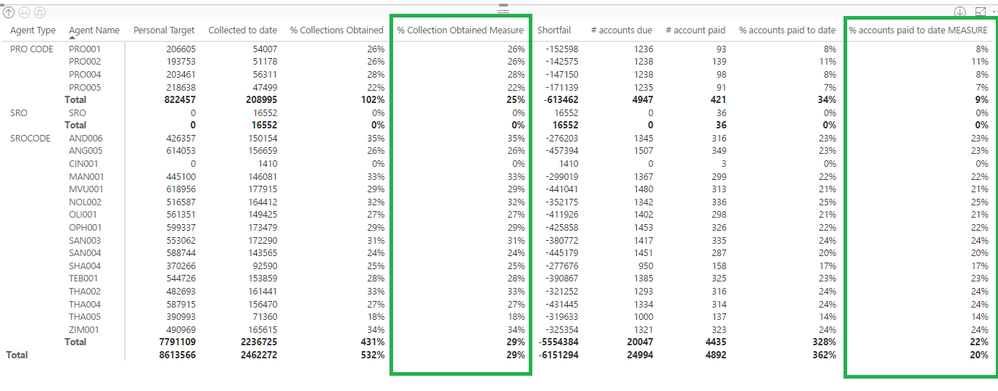
    You need to have a measure in order to calculate the % over the subtotals. something like this:

    % Collection Obtained Measure =
    IFERROR (
        SUM ( Payments[Collected to date] ) / SUM ( Payments[Personal Target] ),
        0
    )

    FInal result will be this:


    Regards,

    MFelix

    • JohannB's avatar
      JohannB
      Icon for Helper I rankHelper I

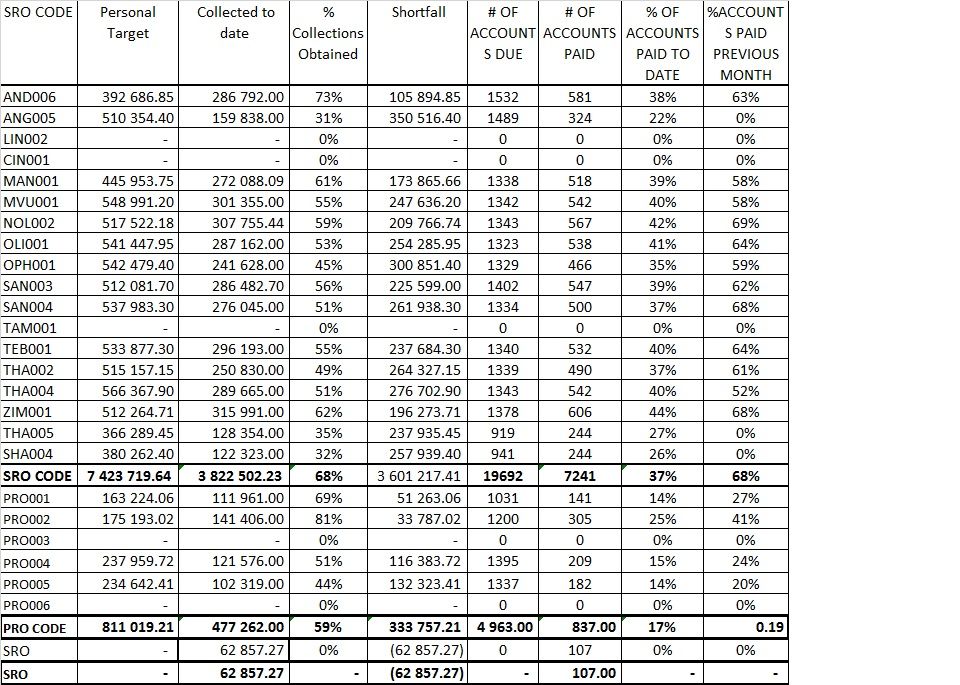
      I have tried the formula suggested but the result displayes a constant 29 % on all tyhe rows. The suntotals still rtemain a sum instead of a calculation. The equation used is: 

      % Collection Obtained = IFERROR(SUM('Table 2'[Collected to date])/SUM('Table 2'[Personal Target]).0)

      What I am looking for is what I had in Excel as displayed below.


      • MFelix's avatar
        MFelix
        Icon for Super User rankSuper User

        Hi JohannB,


        You are adding the values as a column, you need to do the exact same calculation but as a measure not a column as you can see below using the same formula on a column gives the 29% (this is making a row context and then adding it up) making it on a measure it will take into account the table context and give the correct results.


        Please refer to this link to have additional information also look in Google "Calculated Columns vs Measures in PBI".


        Regards,

        MFelix

  • Anonymous's avatar
    Anonymous
    Not applicable

    Hi JohannB,


    Can you share some sample data to test?
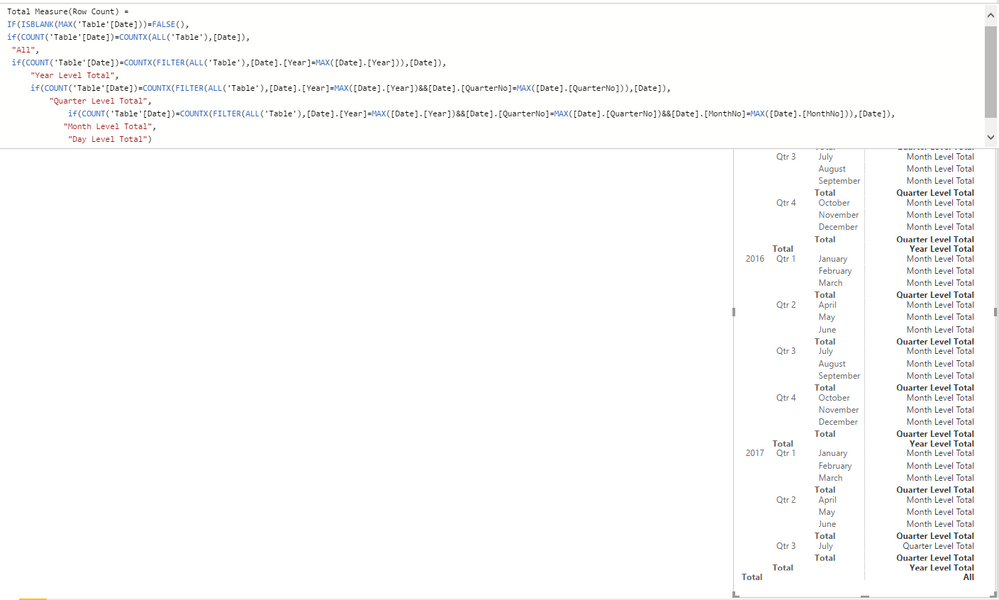
    In addition, if you want to modify the total row calculation, you can add some conditions to filter on it.


    For example:


    Regards,

    Xiaoxin Sheng

    • JohannB's avatar
      JohannB
      Icon for Helper I rankHelper I

      Thank you MFelix this resolves the issue. JohannB