hi,
I have wotrked hard to use the Cost Management connector to visualise the data, however I can only see the contents of two tables (RI Recommendations), whilst the rest is causing three types of issues:
3 tables connect ok, but they are empty (no data is showing).
2 tables do not connect becuase of
"Expression.Error: We cannot convert the value null to type Record.
Details:
Value=
Type=[Type]"
3 tables do not connect becuase of a different "Expression.Error: Access to the resource is forbidden."
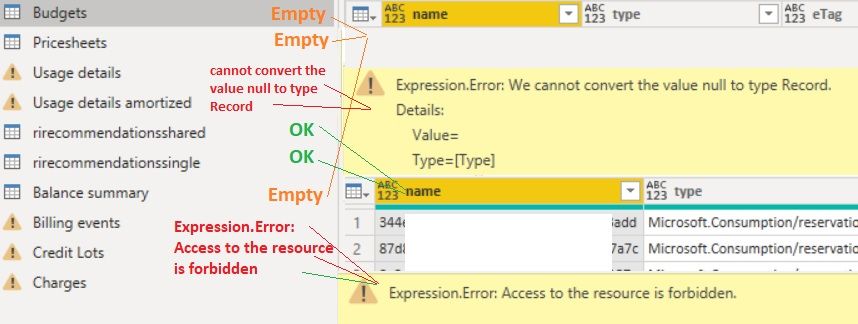
To connect to Cost Management I follow the directions here:
https://docs.microsoft.com/en-us/power-bi/connect-data/desktop-connect-azure-cost-management
To solve this issue I have thus far tried:
1. clearing cache
2. clearing global and local connections
3. deleting global and local connections
4. disabling the function of “ Automatically detect column types and headers for unstructured sources” in options.
I can see the data in question, without issues in the Azure Portal as you can see below, so what am I doing wrong?


