This is best Fabric, Power BI, SQL and AI community event. How do we know? The last event sold out! Save €200 with code FABCMTY200.
Register nowA new Data Days event is coming soon! This time we’re going bigger than ever. Fabric, Power BI, SQL, AI and more. Don't miss out.
Hi there
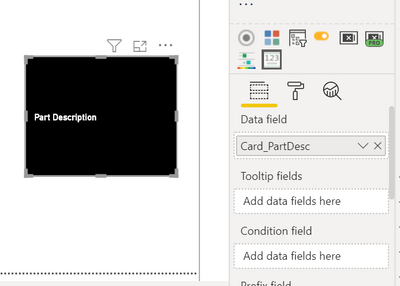
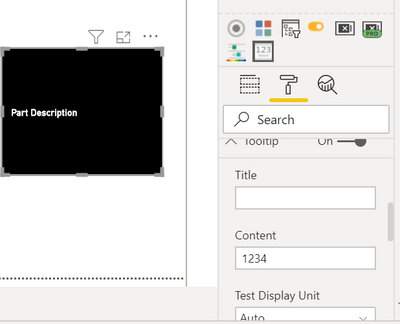
I'm using Advance Card and only put a measure to data field for now
The measure is to only show the text "Part Description"
Card_PartDesc = "Part Description"
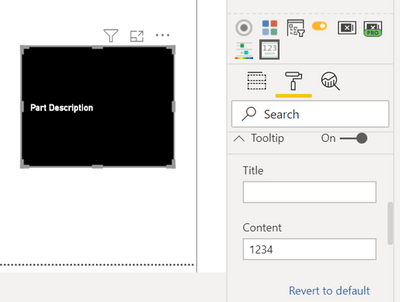
And I turn on Tooltip and randomly type in something. When i hover over the card, there's nothing pops up..
Do i need to change other parts of visual setting...?
My power bi version is May 2020, thanks!
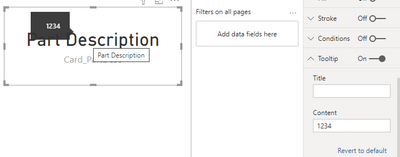
I'm having the same issue. No tool tips showing on Advanced Card. I've tried this with tooltip only (no measures) and with a measure and no other properties set. No dice.
Hi @Anonymous
It works well in my environment:
Desktop Version: 2.90.1081.0
Maybe you can update the desktop and check.
Best Regards,
Link
If this post helps then please consider Accept it as the solution to help the other members find it more quickly.
hi @amitchandak
thanks for the reply!
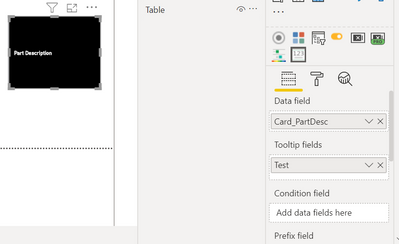
Added a measure to tooltip fields, but it still shows nothing when I hover over...
Test = 10
hi @Anonymous
I had the same problem. I solved the problem by creating new advance card visual. I do not know why the first card was acting weird at first.
Check out the May 2026 Power BI update to learn about new features.
Sign up to receive a private message when registration opens and key events begin.
If you have recently started exploring Fabric, we'd love to hear how it's going. Your feedback can help with product improvements.
| User | Count |
|---|---|
| 30 | |
| 28 | |
| 23 | |
| 19 | |
| 17 |
| User | Count |
|---|---|
| 49 | |
| 47 | |
| 41 | |
| 21 | |
| 19 |