New to DAX and its language.
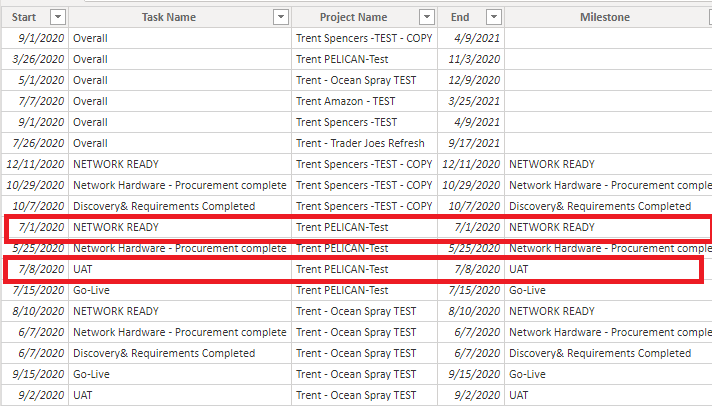
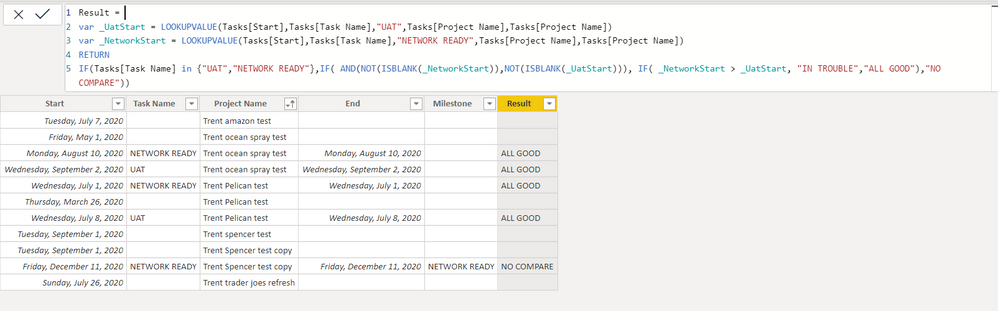
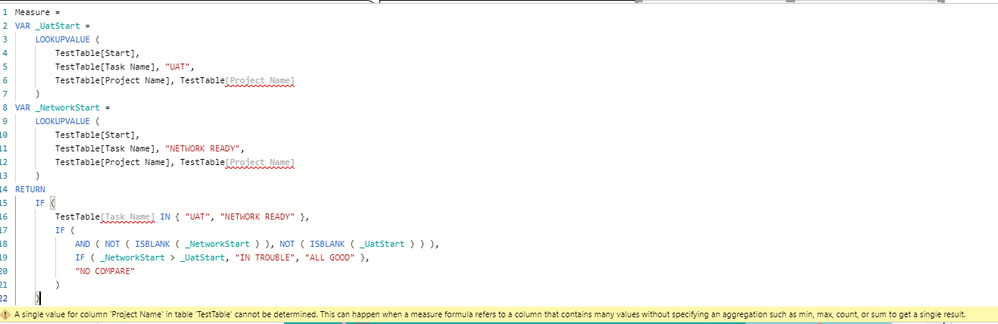
I am trying to make a measure that gives feedback if a date from one column is greater than a date in another column. This is for multiple projects that are using the same base template with different dates for each. So duplicate columns are expected.
I tried this formula:
IsNetworkReadyOnTrackforUAT = IF(LOOKUPVALUE(Tasks[TaskFinishDate],Tasks[ShortTaskName],"NETWORK READY") > LOOKUPVALUE(Tasks[TaskFinishDate],Tasks[ShortTaskName],"UAT"), "IN TROUBLE","ALL GOOD")
this produces an error of multiple values. In researching, I tried using calculate with FIRSTNONBLANK like this:
IsNetworkReadyOnTrackforUAT = IF(
CALCULATE(
FIRSTNONBLANK(Tasks[TaskFinishDate], 1),
FILTER(ALL(Tasks),Tasks[ShortTaskName] = "UAT")
)
>
CALCULATE(
FIRSTNONBLANK(Tasks[TaskFinishDate], 1),
FILTER(ALL(Tasks),Tasks[ShortTaskName] = "NETWORK READY")
),
"IN TROUBLE",
"ALL GOOD")
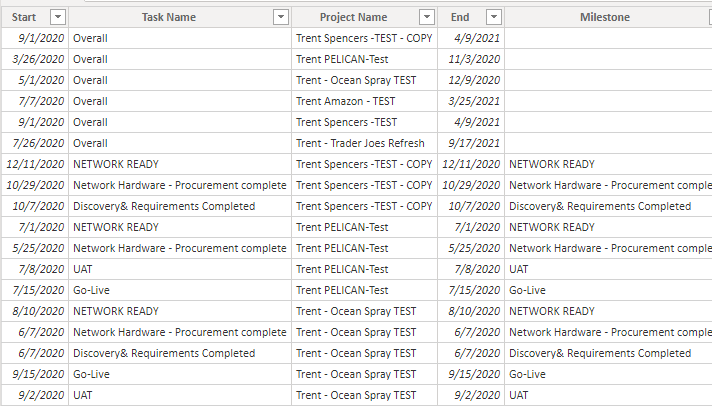
This returns the same value for all of the rows (each row has a different value). Here is a snapshot of the data.
I think I'm missing something basic but unsure.