Join us at FabCon Atlanta from March 16 - 20, 2026, for the ultimate Fabric, Power BI, AI and SQL community-led event. Save $200 with code FABCOMM.
Register now!The Power BI Data Visualization World Championships is back! Get ahead of the game and start preparing now! Learn more
Hello all,
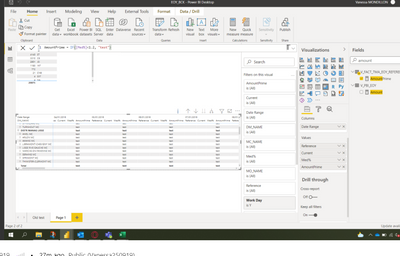
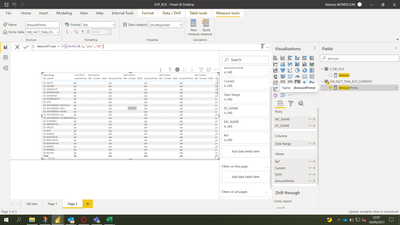
I have one question/Issue with DAX in statement IF
I try to make a flag, but if i used < my data is empty ... I don't know why...
Check my print screen
Try this:
AmountPrime=
Var _A = 120%
return
if([Med%]<_A,"Yes","False")
If it does not work, can you share a [Med%] measure code here?
If this post helps, please consider accepting it as the solution to help the other members find it more quickly.
Appreciate your Kudos✌️!!
not ...
Hey,
the IF-Function is defined like this: IF(<logical_test>, <value_if_true>, <value_if_false>)
If I see it correctly, you missed the "else" statement.
Regards
@Anonymous it's same ...
hmmm... but if you don't inserte the measure there is data displayed?
What does the [Med%] measure do?
@Anonymous
Last guess...
if( Ref <> blank() && Curr <> blank() && ([Med%]<1.2), "yes", "no")
Because I don't understand why there is no data displayed ;D
Regards
The Power BI Data Visualization World Championships is back! Get ahead of the game and start preparing now!
Check out the November 2025 Power BI update to learn about new features.
| User | Count |
|---|---|
| 20 | |
| 11 | |
| 10 | |
| 4 | |
| 4 |
| User | Count |
|---|---|
| 33 | |
| 30 | |
| 19 | |
| 12 | |
| 11 |